A simple, fast home screen for Android.
Pages, dock, folders and widgets work the way they are expected to; apps are sorted into tabs in the drawer, and search finds apps on the device itself. Dockela has no internet permission: there are no ads, no analytics and no account, and the home screen layout stays on this device only.
$0.99One-time purchase14-day refund
Phone
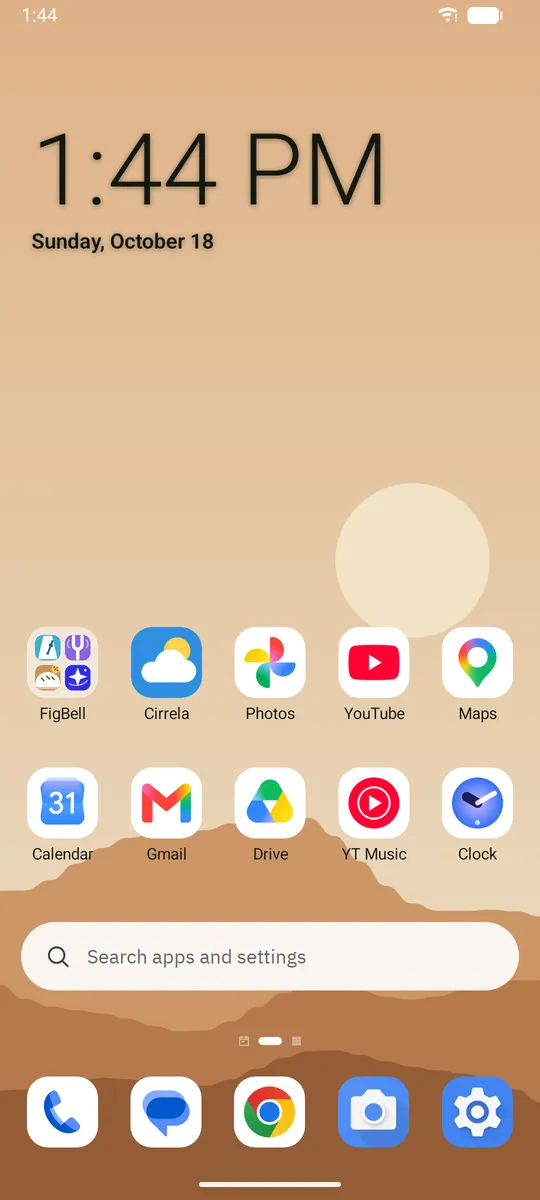
Home screen 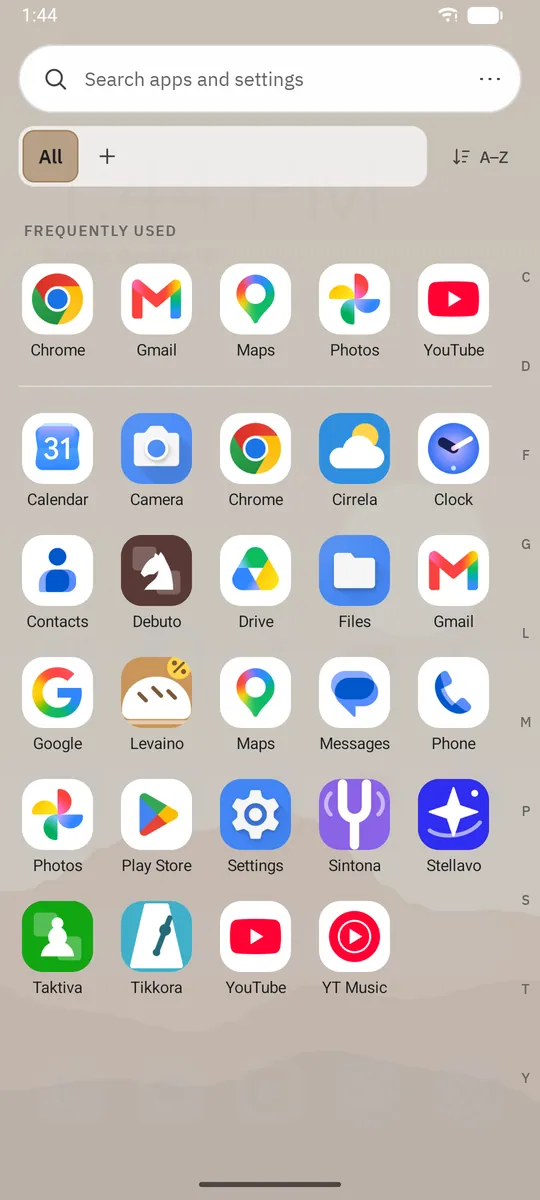
App drawer 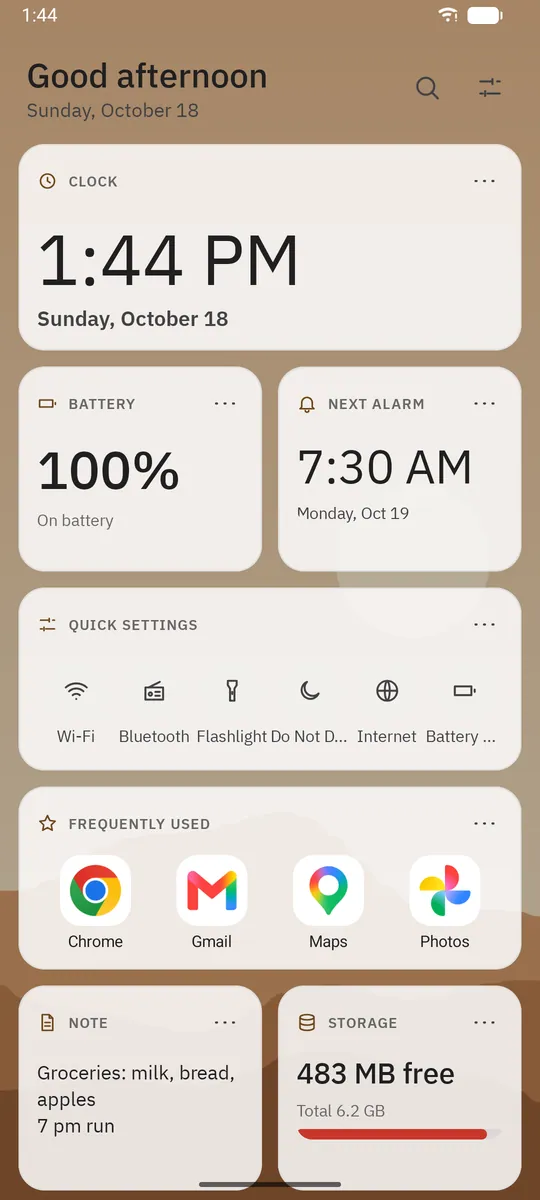
Today page 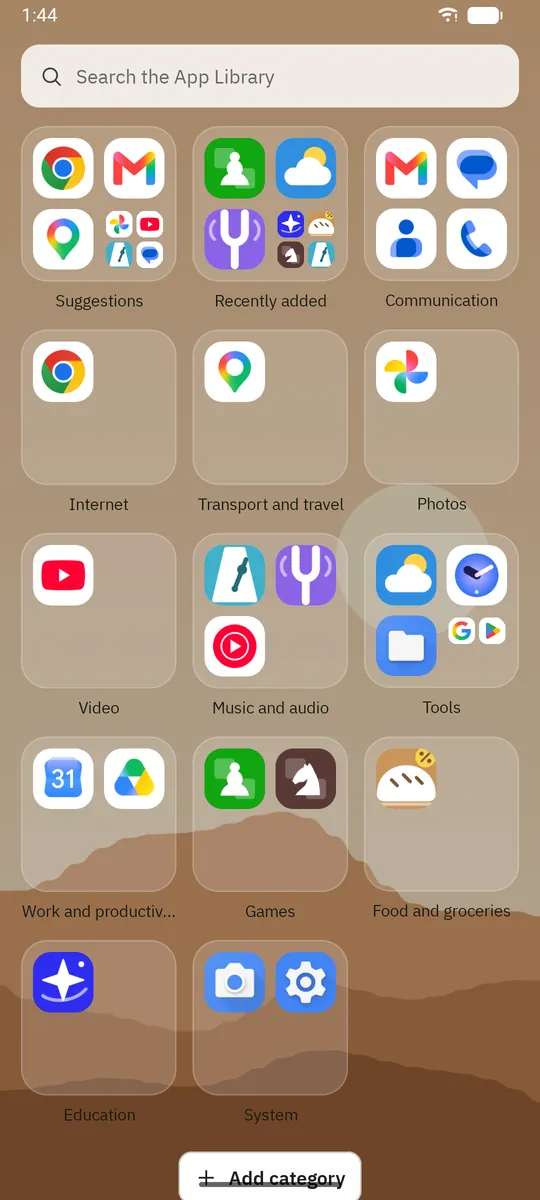
App Library 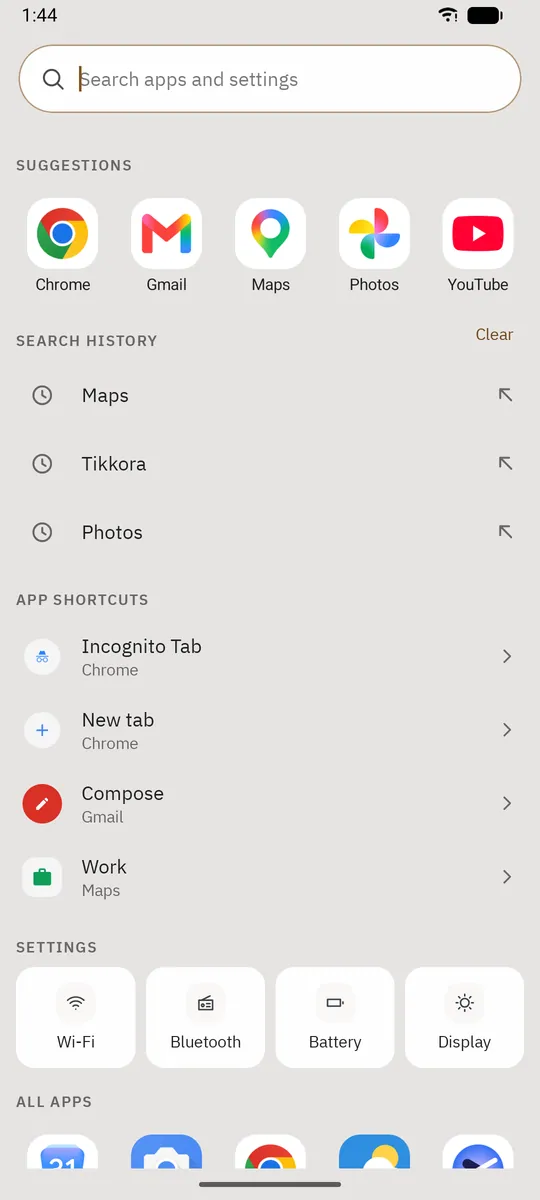
Search


Tablet
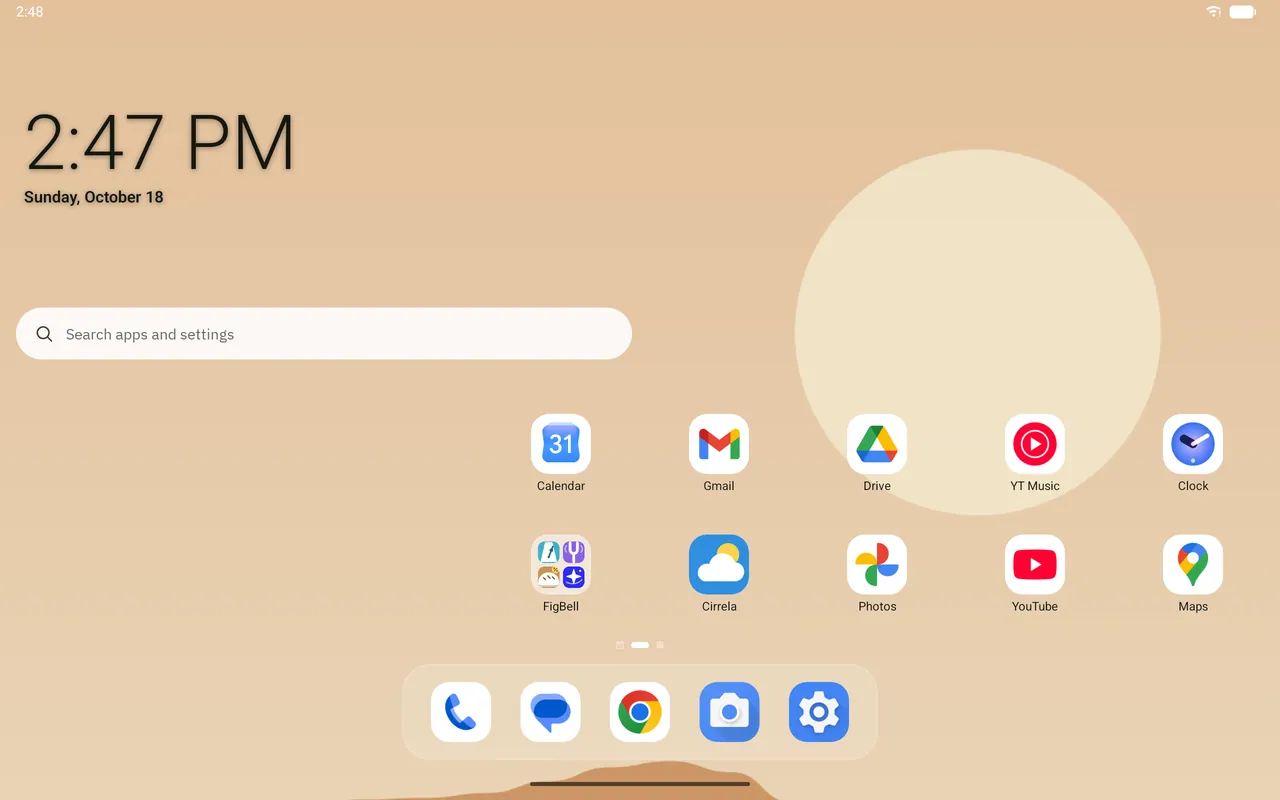
Home screen 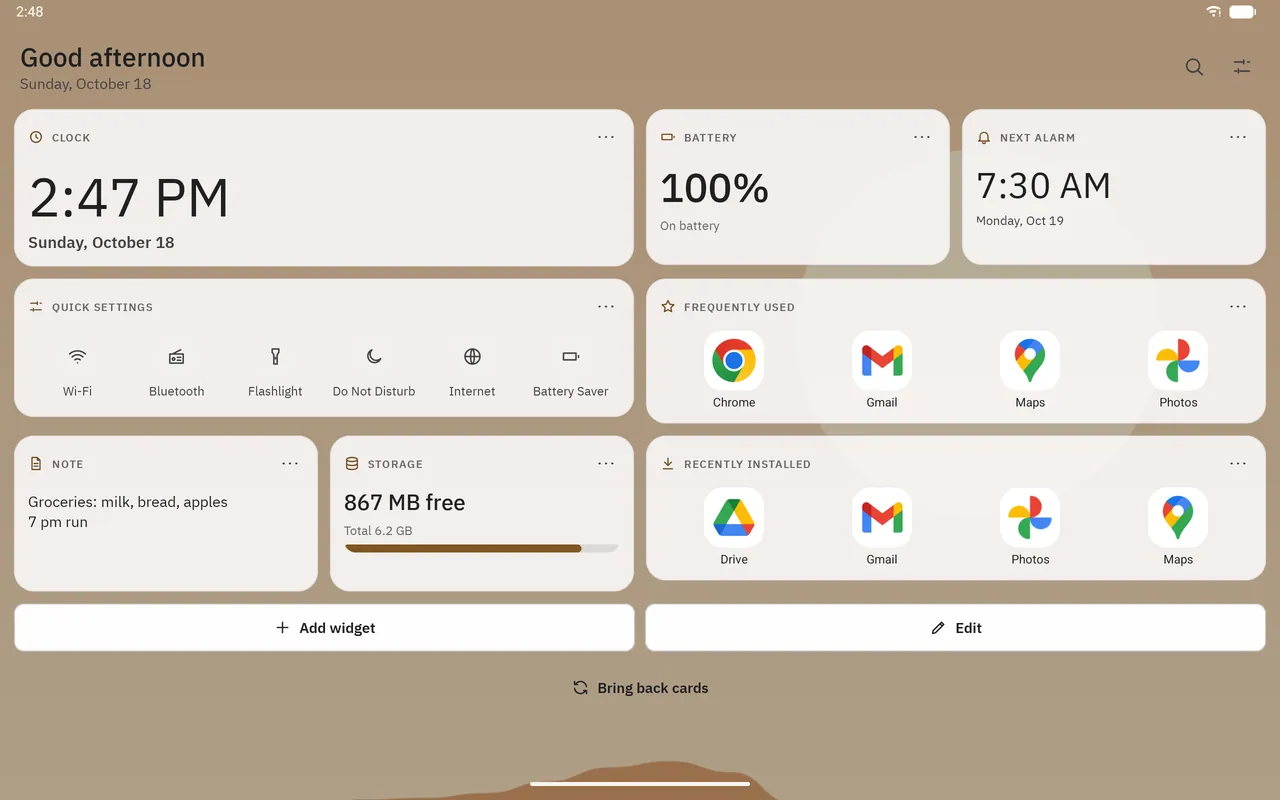
Today page 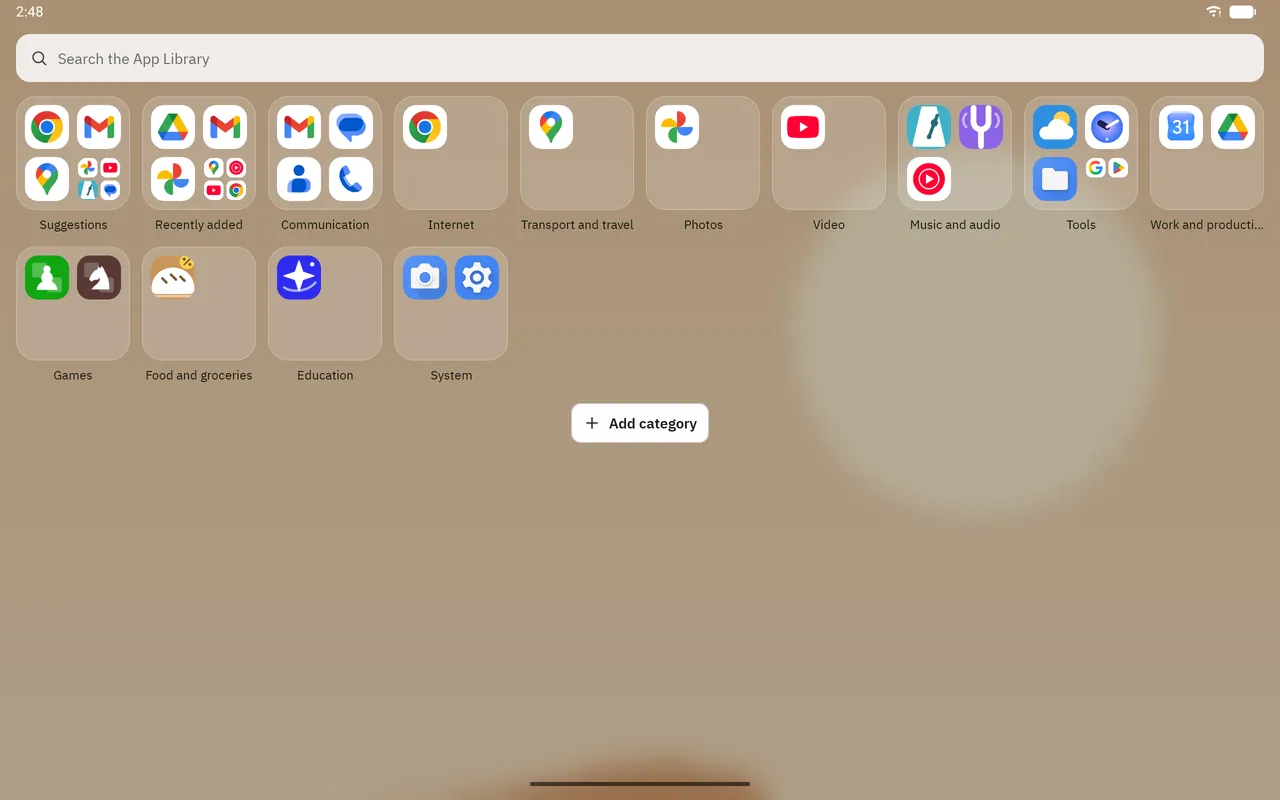
App Library


Key features
- Pages, dock, folders and widgets
- The home screen has several pages; the grid (e.g. 4 × 5, 5 × 6, 6 × 7) is chosen separately for portrait and landscape. Frequently used apps sit in the dock; dropping one icon on another creates a folder. Widgets from other apps can be added and resized with handles; a long press on an icon opens the app's shortcuts.
- App drawer
- Opens with a swipe up on the home screen. Apps are listed A–Z with the most used at the top; the letter bar on the edge jumps quickly. Tabs (e.g. Work, Games) and folders can be created, and unwanted apps can be hidden.
- Today page
- To the left of the first page, a grid of cards; at the top are a greeting for the time of day with the date, and search and settings buttons. Cards: clock, battery, next alarm, agenda, quick settings (Wi-Fi, Bluetooth, flashlight, Do Not Disturb, internet, battery saver), frequently used, recently installed, note (a quick note kept on this device) and storage; widgets from other apps can be added too. Cards come in small (half width), medium and large; in edit mode they are reordered by dragging and resized. Calendar permission is optional; without it, the agenda is not shown.
- Screen time card
- An optional card, added from the widget list (Add widget › Dockela). It shows today's screen time, the number of unlocks and the most used apps; tapping it opens Android's Digital Wellbeing. It needs Android's usage access permission, which is granted in Android settings. The data is read on the device only.
- Icon packs
- ADW- and Nova-compatible icon packs (appfilter.xml) are supported, and a single app's icon can also be picked from a pack. Icon shape and size, labels (automatic, white, black or hidden) and label shadow can be adjusted.
- Wallpaper
- Dockela's own wallpapers (landscapes, gradients, solid colours), a photo from the gallery (through Android's photo picker; no access to the whole gallery is requested), or the current wallpaper as it is. It can be applied to the home screen, the lock screen or both; dimming and blur are shown only inside Dockela.
Data processing and privacy
Dockela has no internet permission; Android does not allow an app without this permission to connect to a network. There are no ads, no analytics and no account. The home screen layout, settings, the launch counts kept for frequently used apps, search history and the note stay on this device only. Calendar (agenda), notification access (dot counts only; notification contents are not read), device administrator (double-tap to lock only) and usage access (Screen time card) permissions are optional and are requested only when the related feature is turned on. Usage data is read on the device; it is not stored and not sent anywhere.
Get Dockela Launcher
Purchased once from Google Play; no ads, no subscription and no in-app purchases.