Funktionen
For the civics, reading and writing parts: questions and answers are in English, exactly as the officer asks them, and a hint in your own language is one tap away. Your N-400 filing date picks the right test, and your state fills in the right answers. Questions are read aloud with the English voice on your device; the app has no internet permission.
Hauptfunktionen
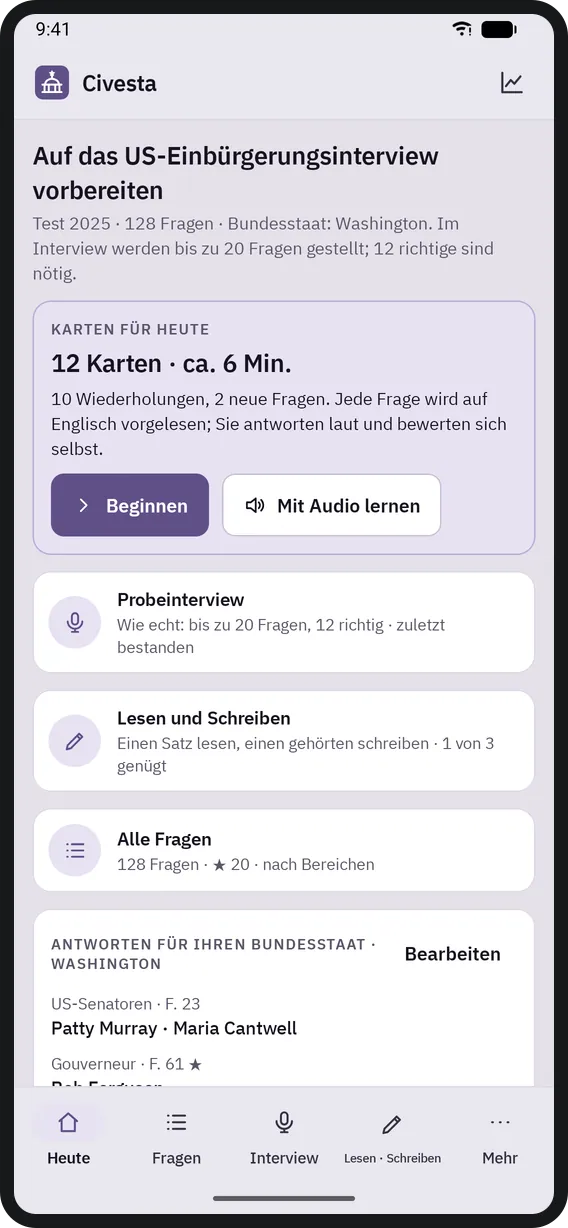
- The right test, the right answers
- On first launch you enter your N-400 filing date: on or after October 20, 2025, the 2025 test (128 questions); before that, the 2008 test (100 questions). Choose your state and the senators, governor and state capital are filled in; DC and the US territories get the special answers USCIS accepts. With the 65/20 exception you study only the 20 starred questions.
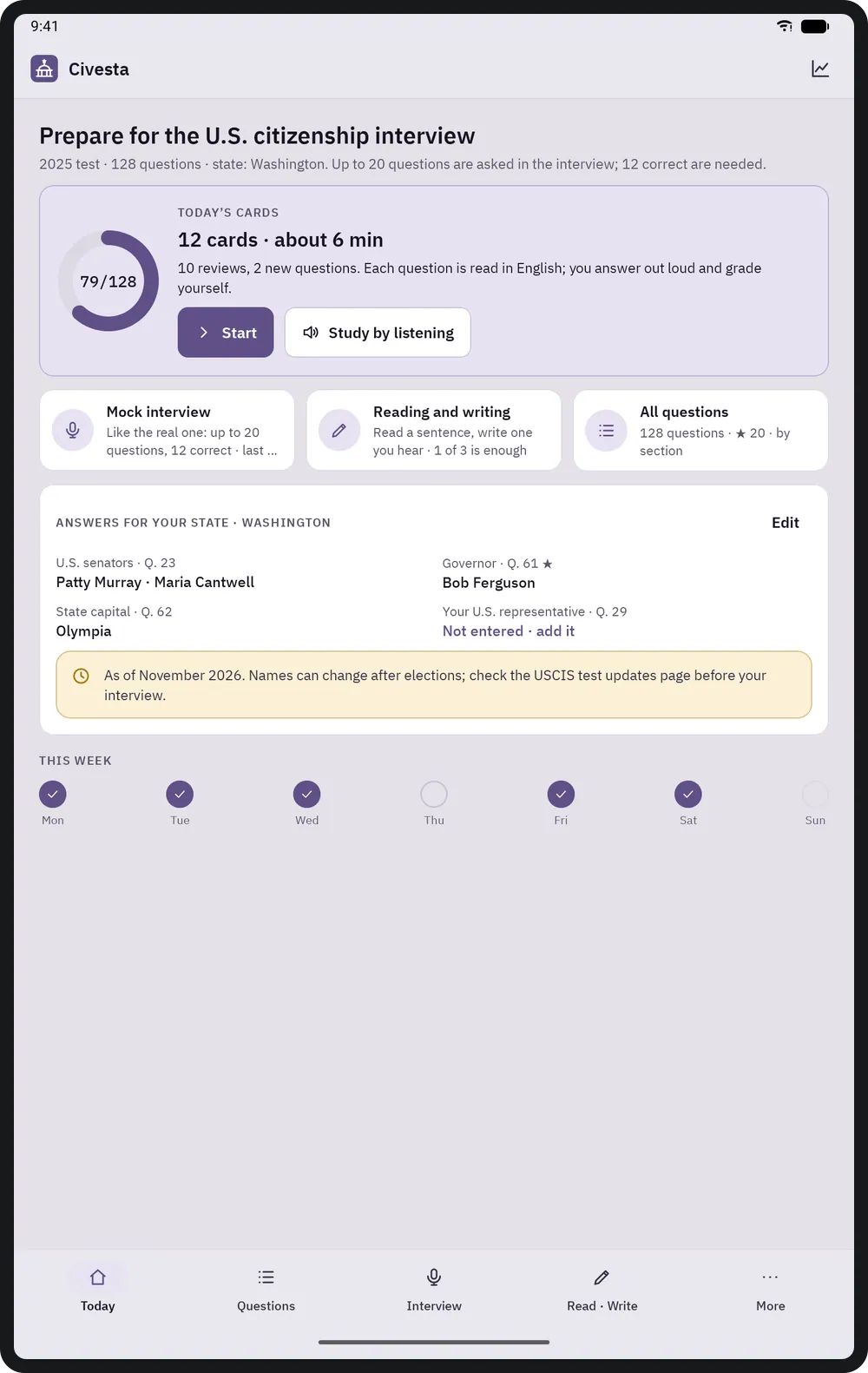
- Today's cards
- A short daily plan with the questions due for review and a few new ones (8, 12 or 20 cards a day; spaced repetition). The question is read aloud in English, you answer out loud, then grade yourself with "Didn't know / Hard / Knew it".
- Mock interview
- With the real rules: in the 2025 test up to 20 questions, pass at 12 correct, stop at 9 wrong; in the 2008 test and with 65/20, 10 questions and 6 correct. The officer's question is spoken; hide the written question to practise listening. Results show every question and answer, a list to review and a result card you can share.
- Hints in your language
- FigBell's own translation of every question and its answers, in 19 languages. Hidden by default on cards and always hidden in the mock interview; shown by default with 65/20 (that test may be taken in your own language).
- All questions
- Search questions, answers and hints; filter by section, star, answers that change with time and place, not yet known and often wrong. Each question keeps its history: correct / attempts, next review, status.
- My state
- Every answer that depends on place and time on one page: senators, governor, capital, President, Vice President, Speaker of the House, Chief Justice. Every answer can be edited; your representative depends on your address, so you type the name yourself (house.gov opens in the browser).
- Reading and writing
- Sentences built from the official USCIS reading and writing vocabulary lists. Reading: read the sentence aloud, then listen to it. Writing: listen and type; Civesta shows wrong, missing and extra words (capital letters and punctuation do not count).
- Audio study
- Question, pause, answer, one after another: today's cards, the 65/20 questions or all of them; speed 0.8–1.2×, pause 1–5 s. Only the English voices on the device are used, never online voices; if there is none, the app explains how to install one.
Geräte und Browser
- On phones, bottom navigation (Today, Questions, Interview, Read · Write, More); on landscape tablets a vertical menu on the left and a detail panel on the right.
- Android 8.0 or later; the iPhone and iPad version is in preparation. There is no web, desktop or installable web app.
Smartphone
Startbildschirm 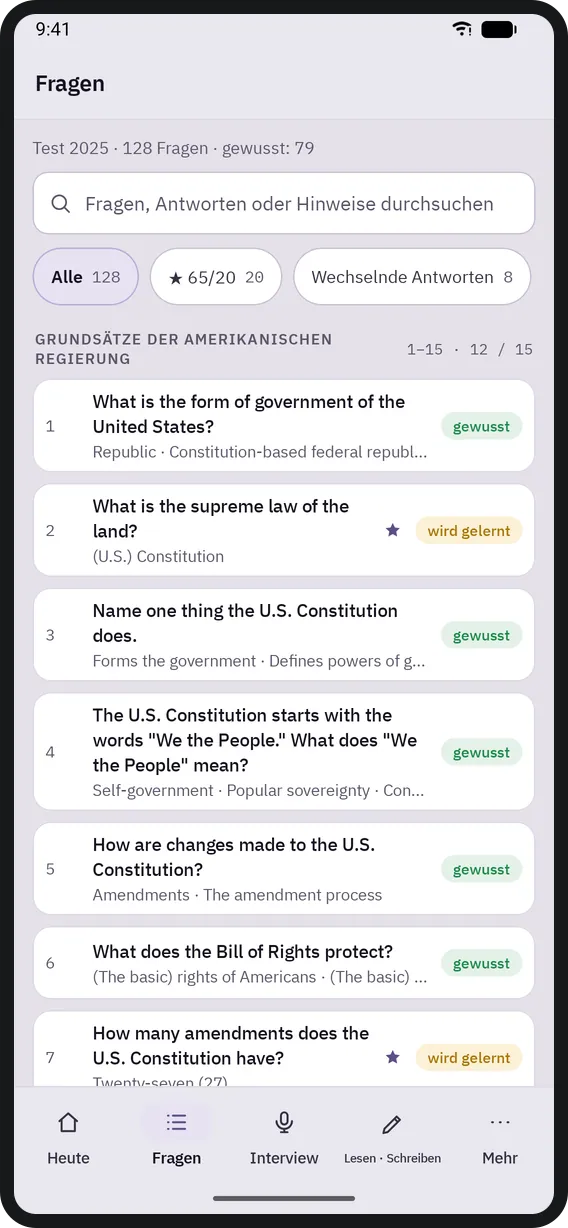
Fragen 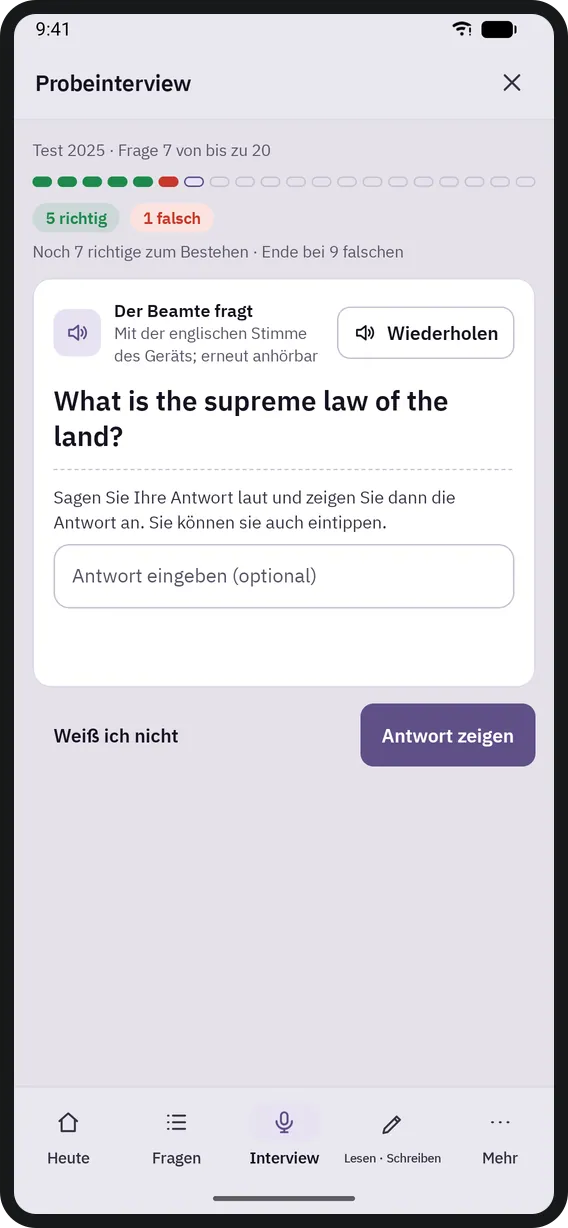
Probeinterview 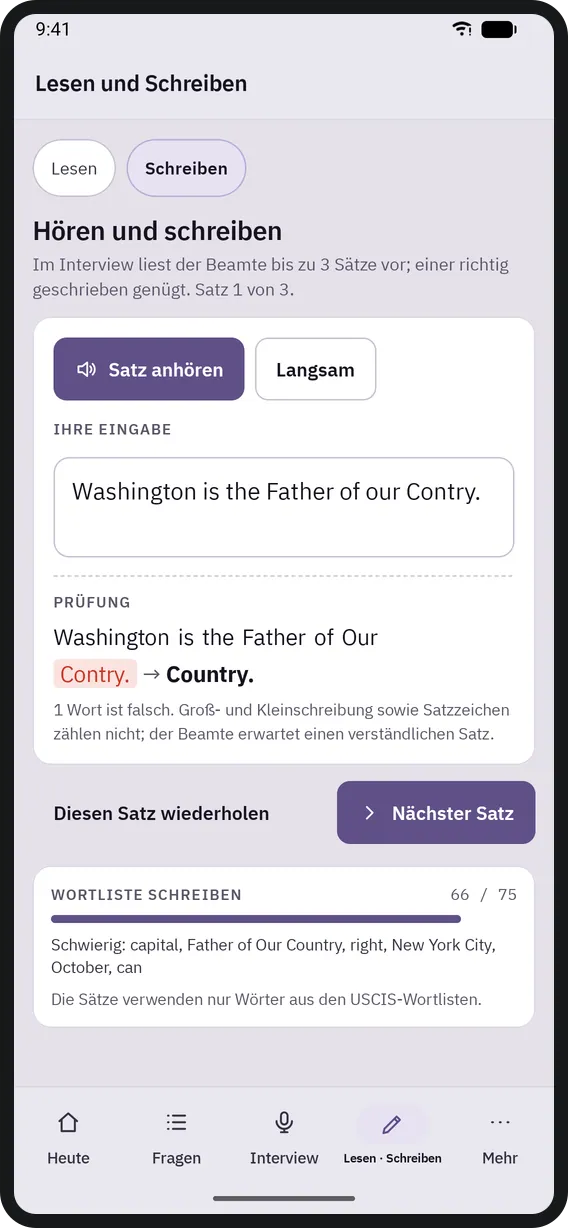
Lesen und Schreiben 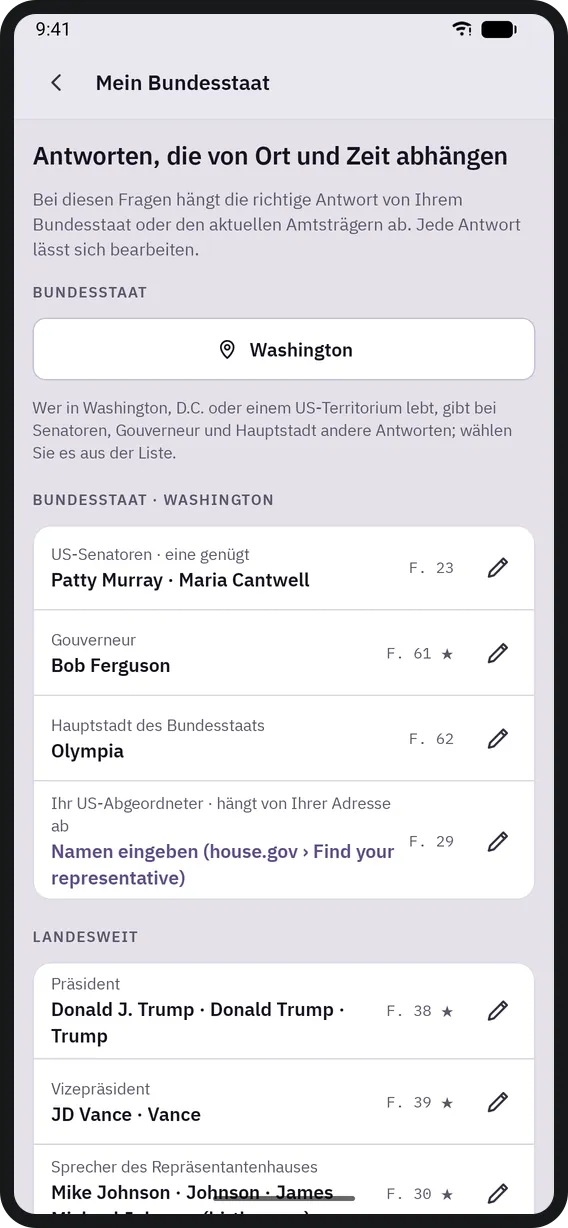
Mein Bundesstaat 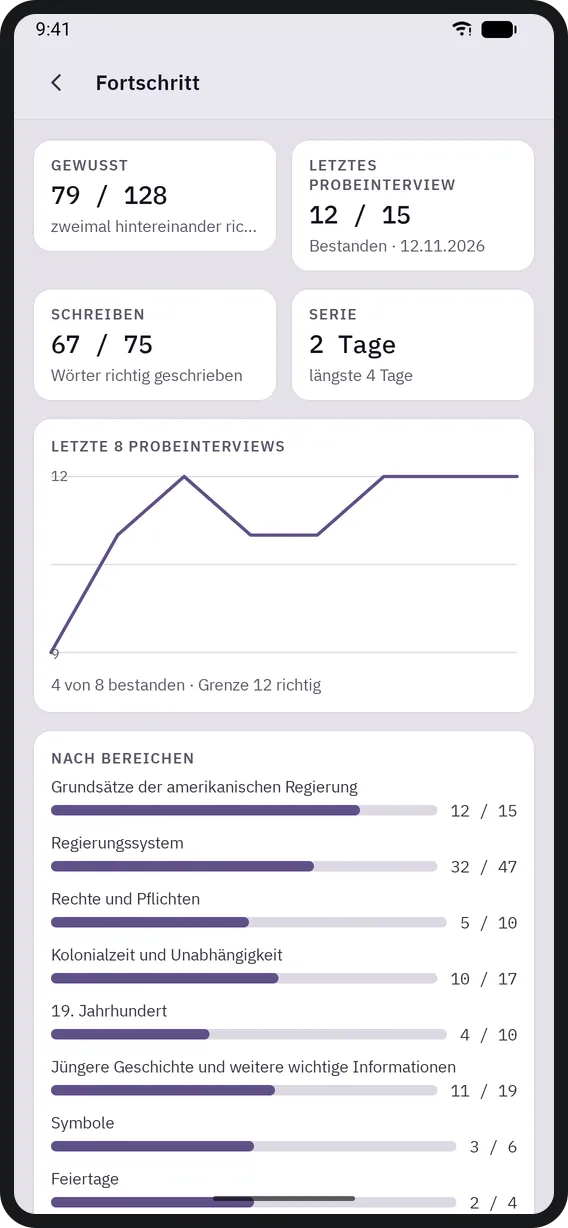
Fortschritt


Tablet
Startbildschirm 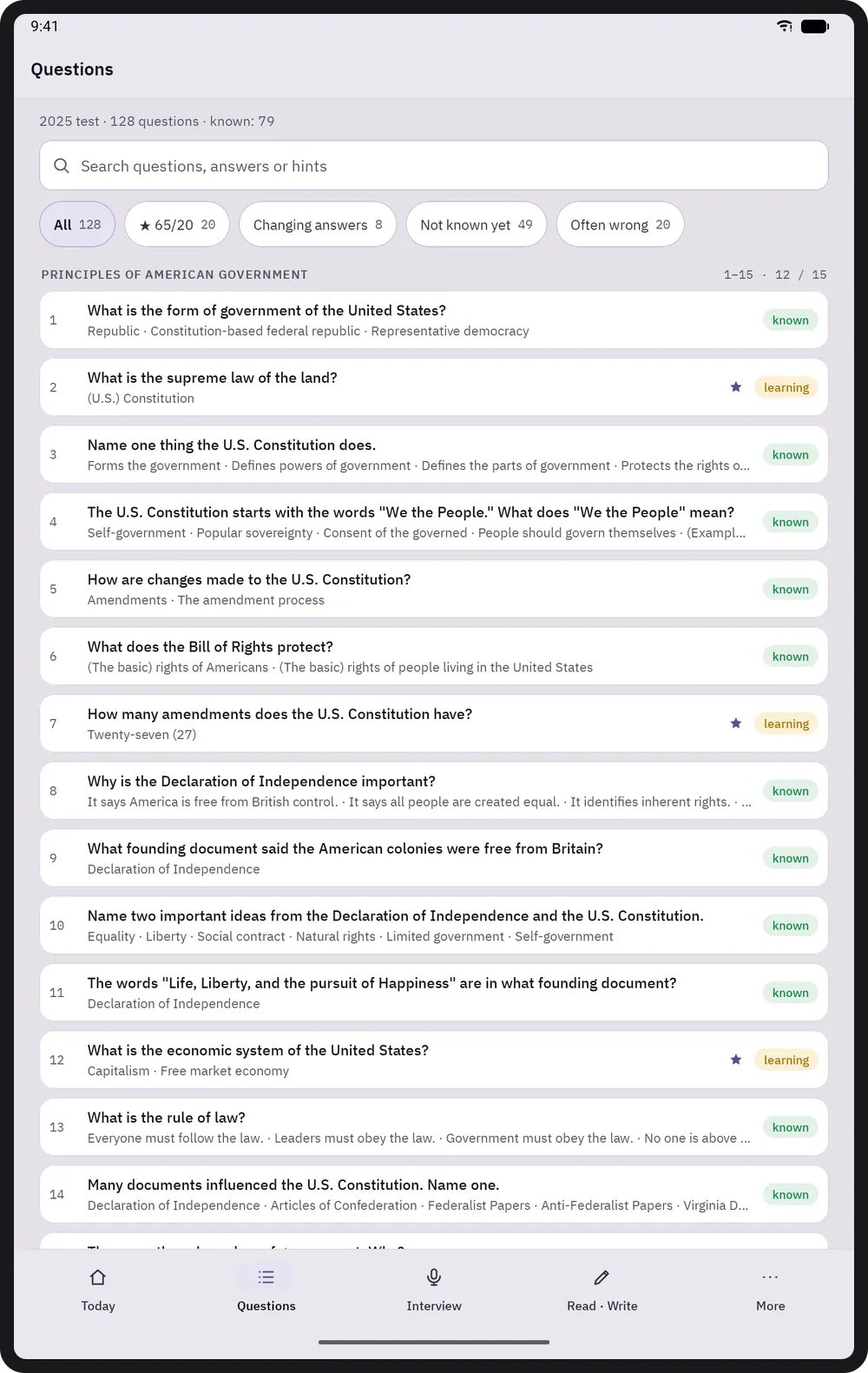
Fragen 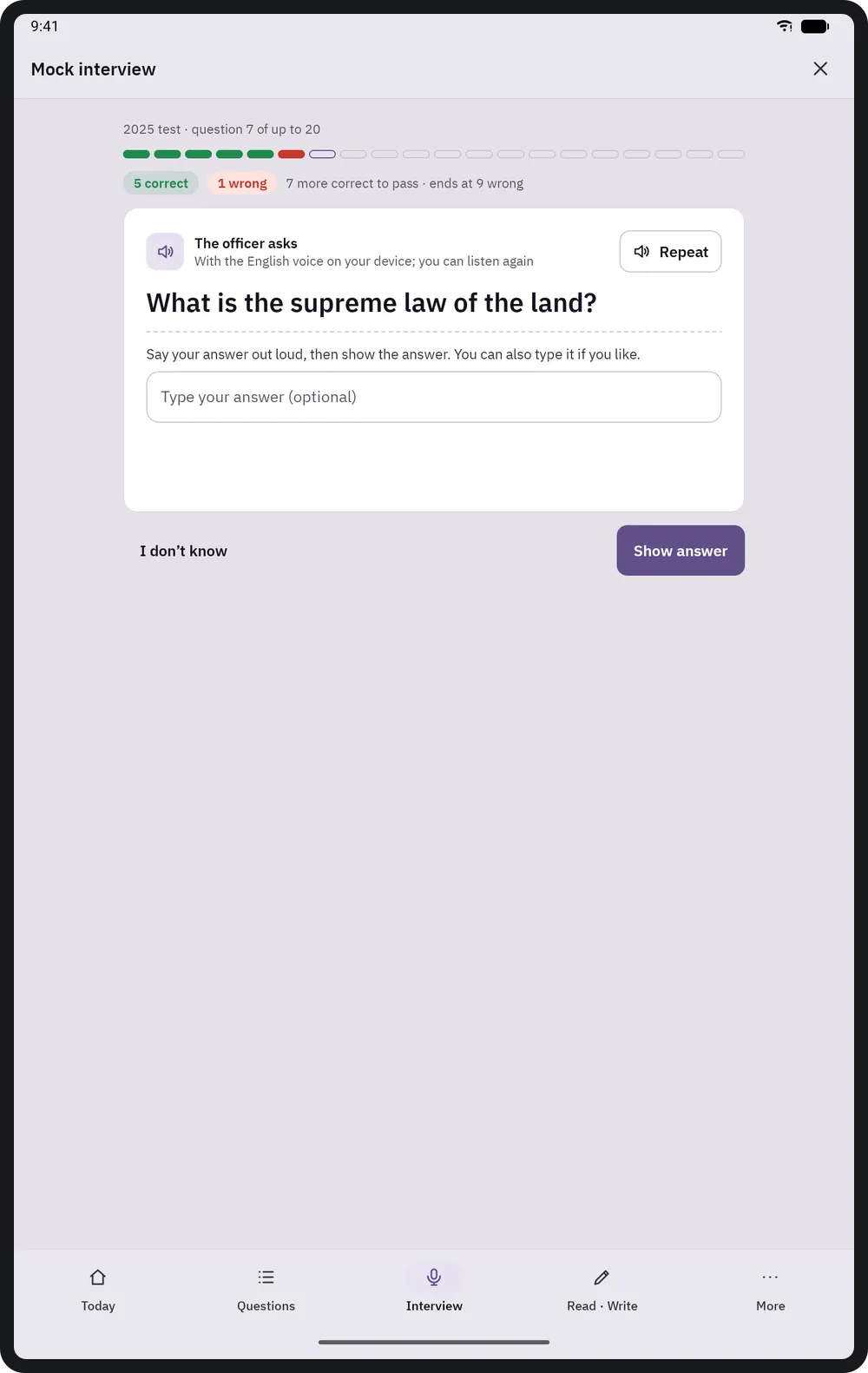
Probeinterview 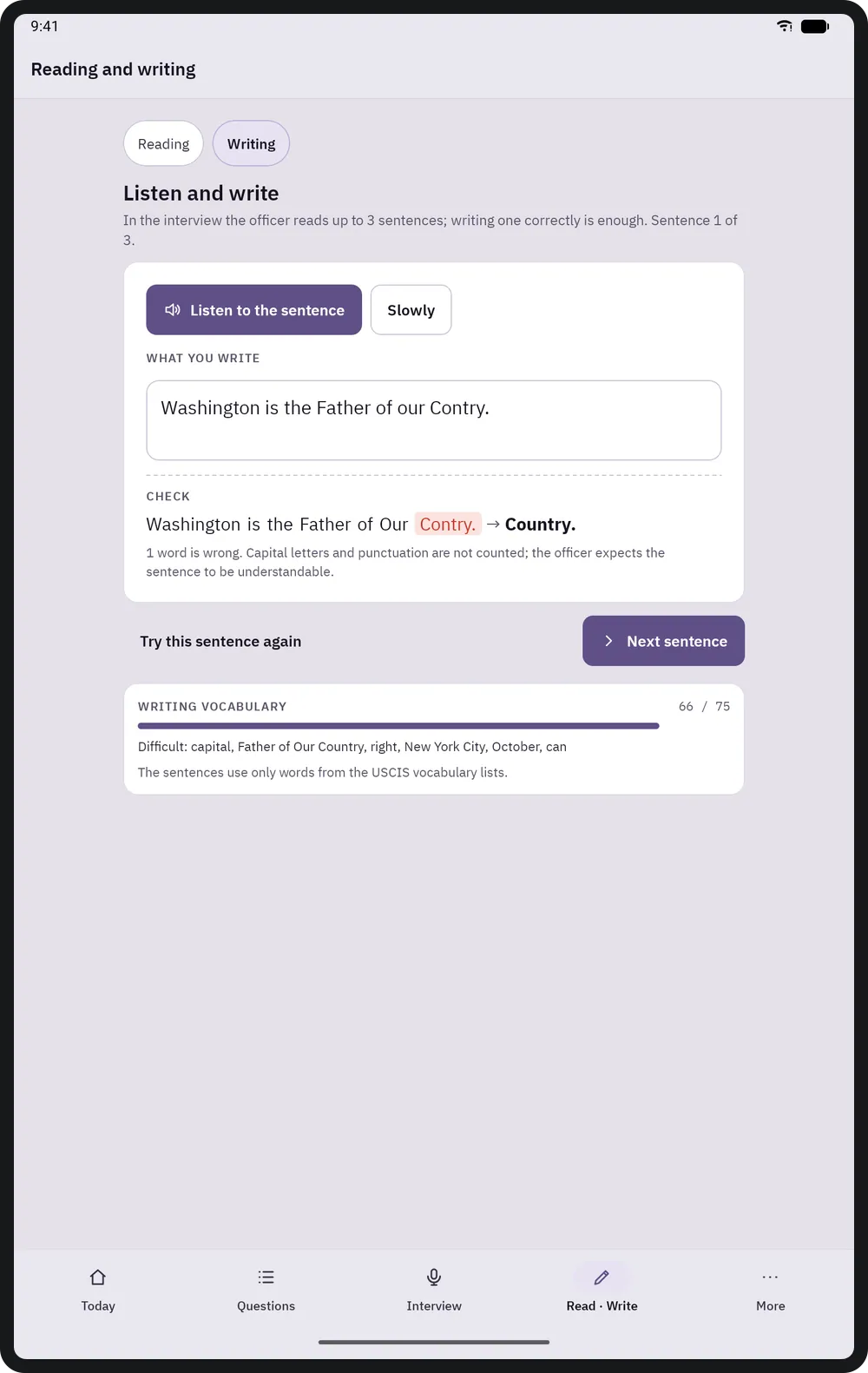
Lesen und Schreiben 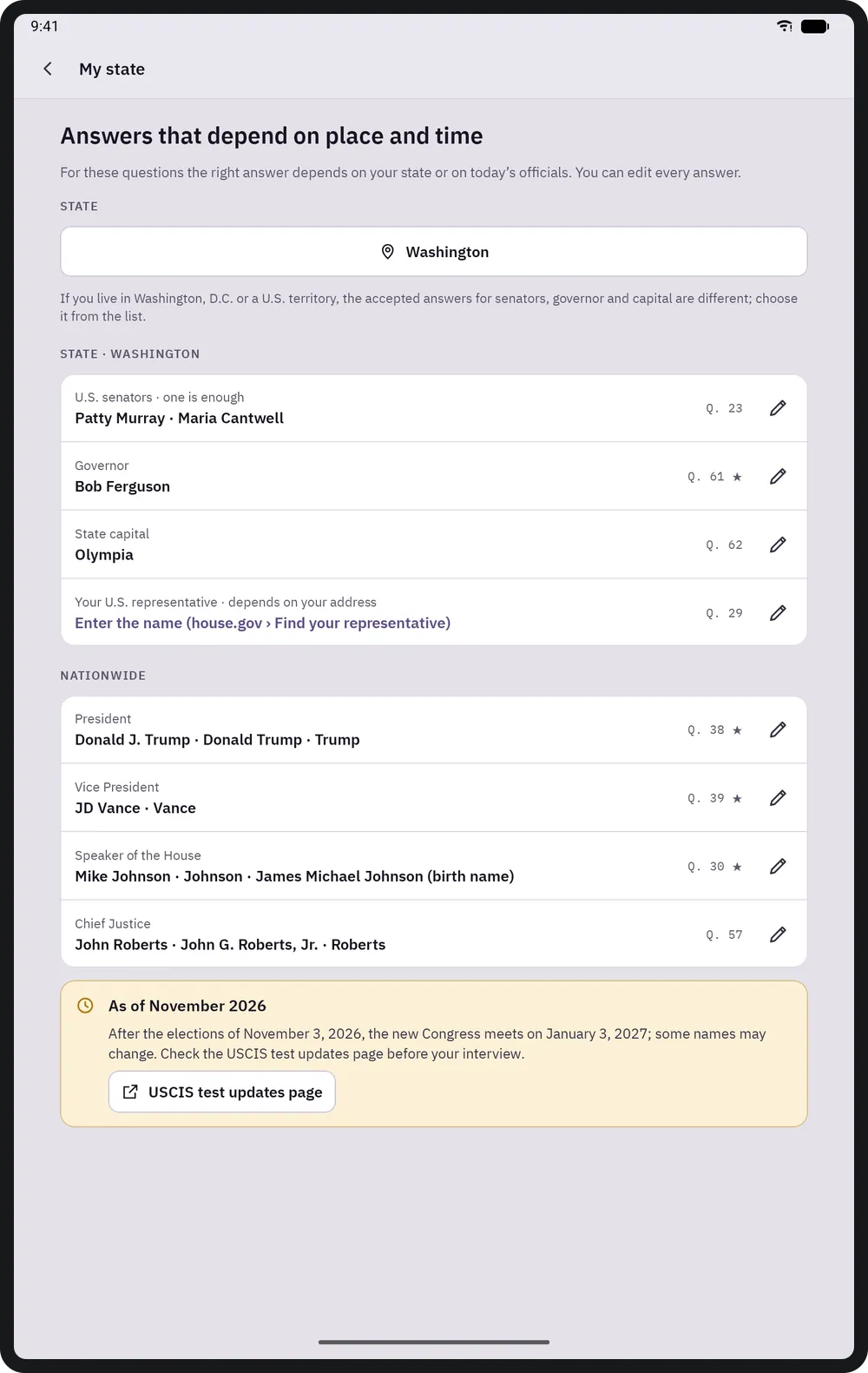
Mein Bundesstaat 
Fortschritt


Tastenkürzel
Unter macOS werden ⌘ und ⌥ verwendet, unter Windows und Linux Ctrl und Alt.
| Tastenkürzel | Aktion |
|---|---|
| Space | Show the answer on a card |
| 1 · 2 · 3 | Didn't know · Hard · Knew it |
| S | Read the question aloud |
On touch screens everything is done with buttons; every button is at least 48 dp.
Civesta beziehen
Einmalig bei Google Play gekauft; keine Werbung, kein Abo und keine In-App-Käufe.
Bald bei Google Play