기능
For the civics, reading and writing parts: questions and answers are in English, exactly as the officer asks them, and a hint in your own language is one tap away. Your N-400 filing date picks the right test, and your state fills in the right answers. Questions are read aloud with the English voice on your device; the app has no internet permission.
주요 기능
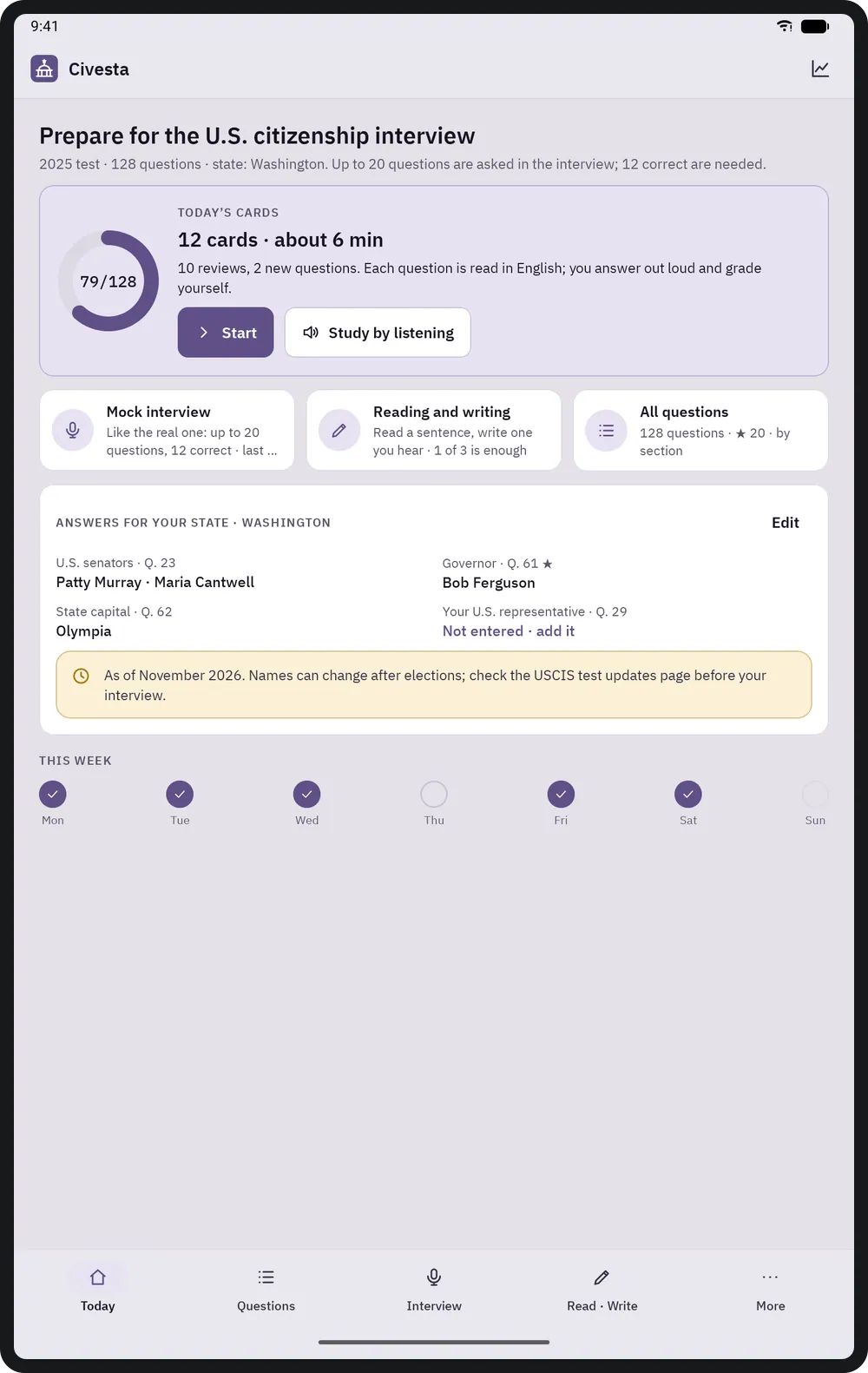
- The right test, the right answers
- On first launch you enter your N-400 filing date: on or after October 20, 2025, the 2025 test (128 questions); before that, the 2008 test (100 questions). Choose your state and the senators, governor and state capital are filled in; DC and the US territories get the special answers USCIS accepts. With the 65/20 exception you study only the 20 starred questions.
- Today's cards
- A short daily plan with the questions due for review and a few new ones (8, 12 or 20 cards a day; spaced repetition). The question is read aloud in English, you answer out loud, then grade yourself with "Didn't know / Hard / Knew it".
- Mock interview
- With the real rules: in the 2025 test up to 20 questions, pass at 12 correct, stop at 9 wrong; in the 2008 test and with 65/20, 10 questions and 6 correct. The officer's question is spoken; hide the written question to practise listening. Results show every question and answer, a list to review and a result card you can share.
- Hints in your language
- FigBell's own translation of every question and its answers, in 19 languages. Hidden by default on cards and always hidden in the mock interview; shown by default with 65/20 (that test may be taken in your own language).
- All questions
- Search questions, answers and hints; filter by section, star, answers that change with time and place, not yet known and often wrong. Each question keeps its history: correct / attempts, next review, status.
- My state
- Every answer that depends on place and time on one page: senators, governor, capital, President, Vice President, Speaker of the House, Chief Justice. Every answer can be edited; your representative depends on your address, so you type the name yourself (house.gov opens in the browser).
- Reading and writing
- Sentences built from the official USCIS reading and writing vocabulary lists. Reading: read the sentence aloud, then listen to it. Writing: listen and type; Civesta shows wrong, missing and extra words (capital letters and punctuation do not count).
- Audio study
- Question, pause, answer, one after another: today's cards, the 65/20 questions or all of them; speed 0.8–1.2×, pause 1–5 s. Only the English voices on the device are used, never online voices; if there is none, the app explains how to install one.
기기 및 브라우저
- On phones, bottom navigation (Today, Questions, Interview, Read · Write, More); on landscape tablets a vertical menu on the left and a detail panel on the right.
- Android 8.0 or later; the iPhone and iPad version is in preparation. There is no web, desktop or installable web app.
휴대전화
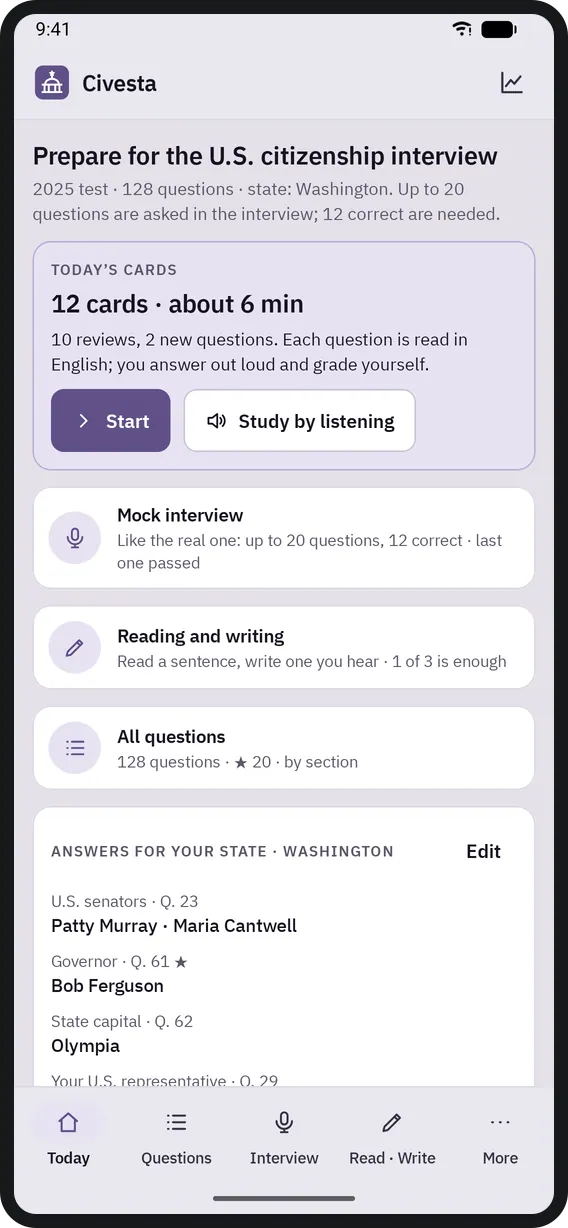
홈 화면 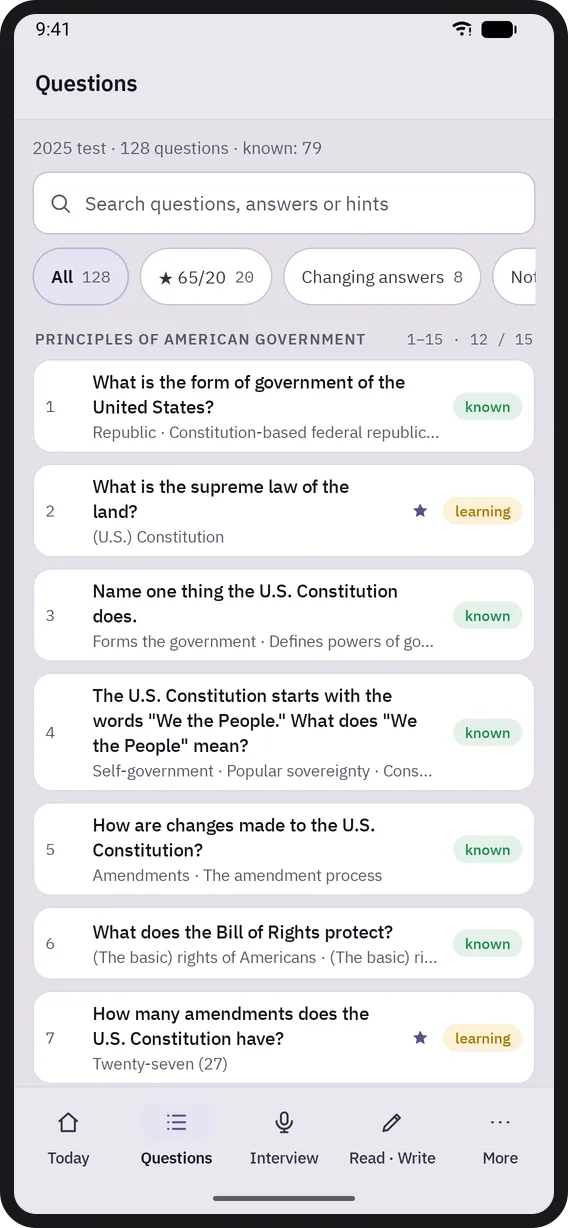
질문 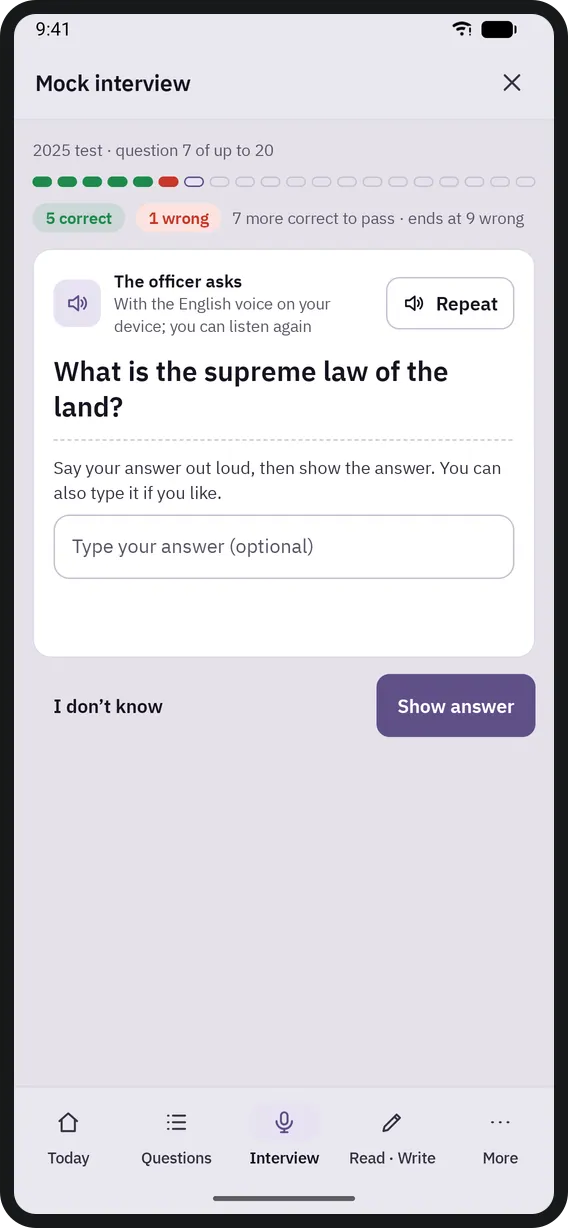
모의 인터뷰 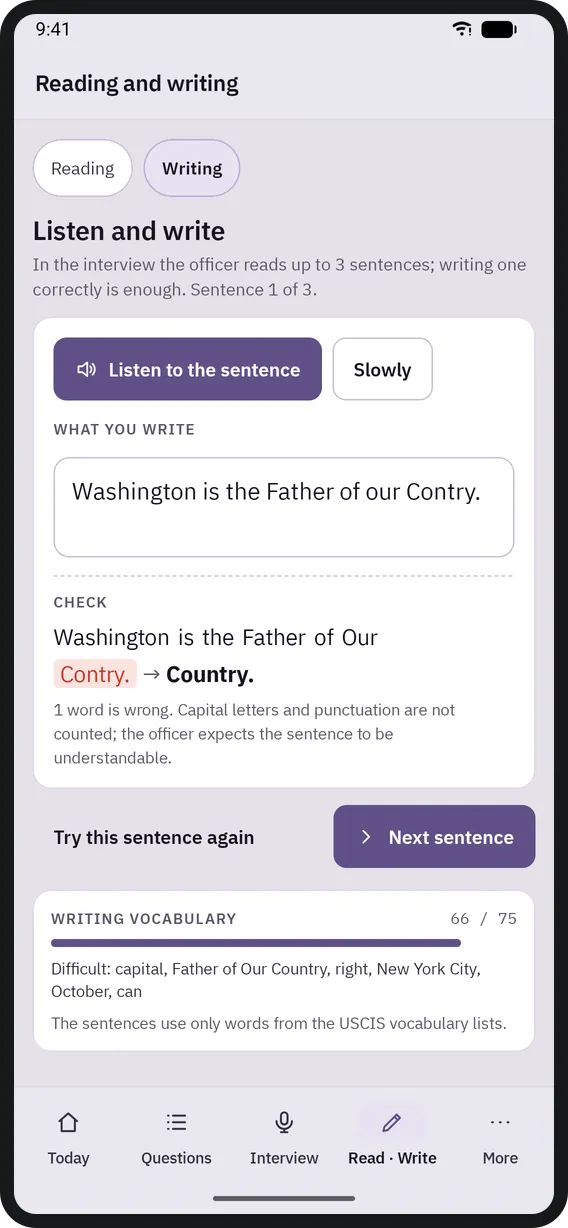
읽기와 쓰기 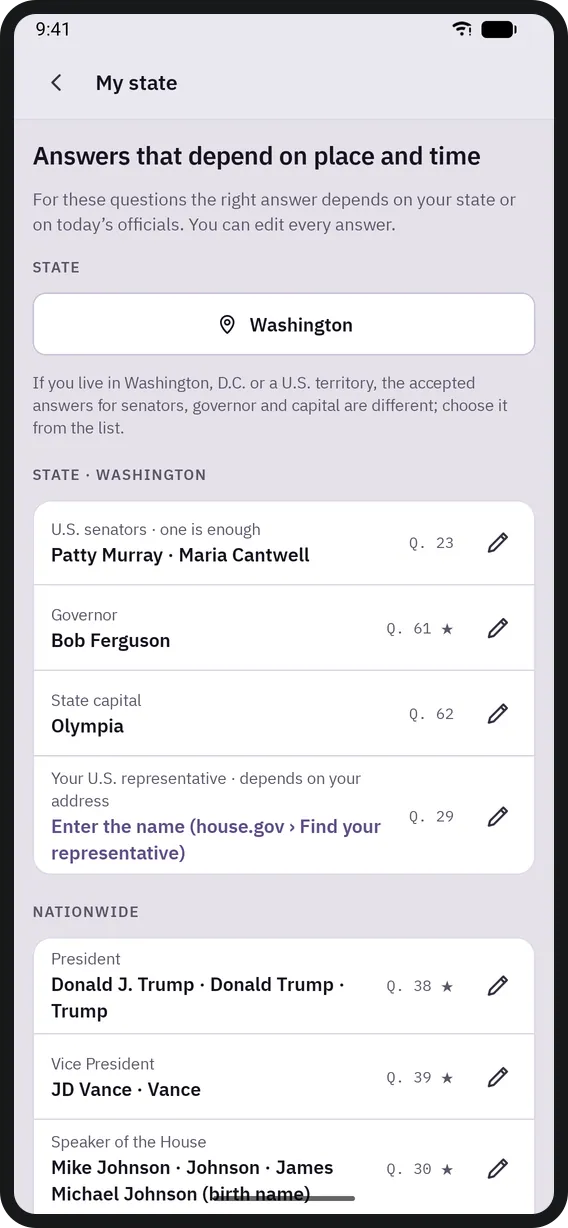
내 주 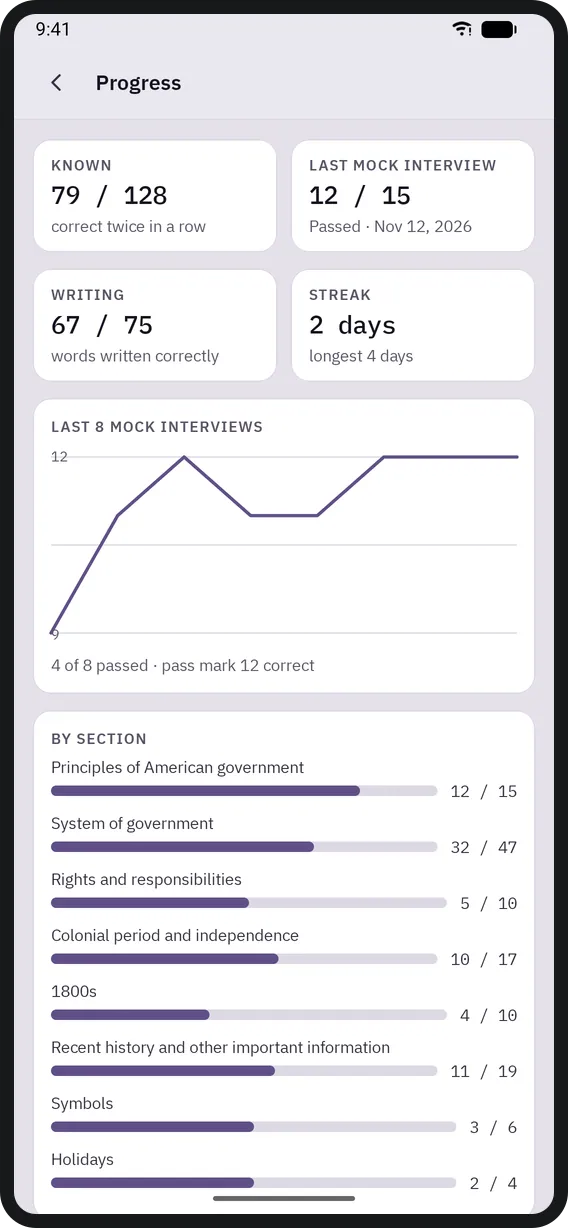
진행 상황


태블릿
홈 화면 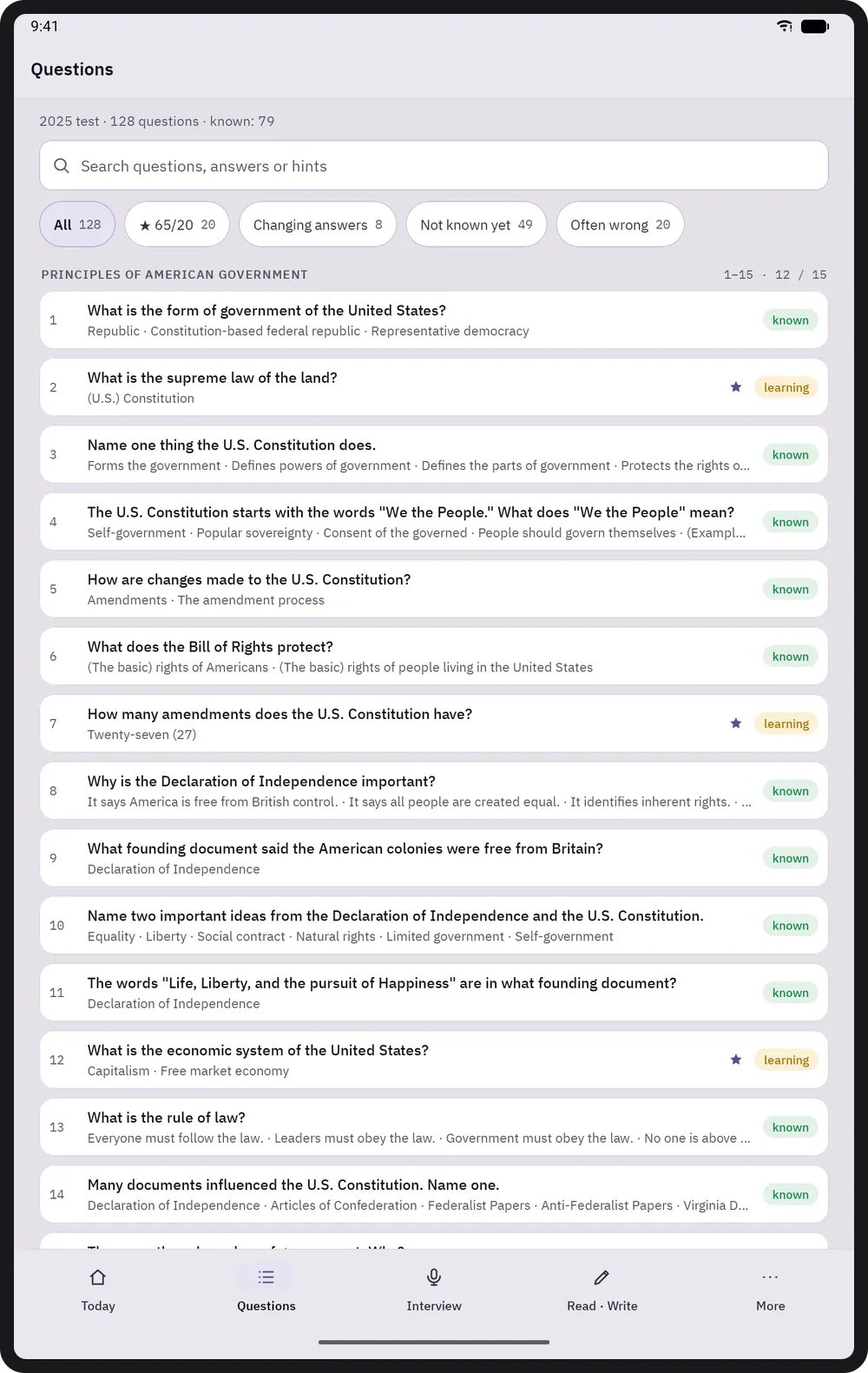
질문 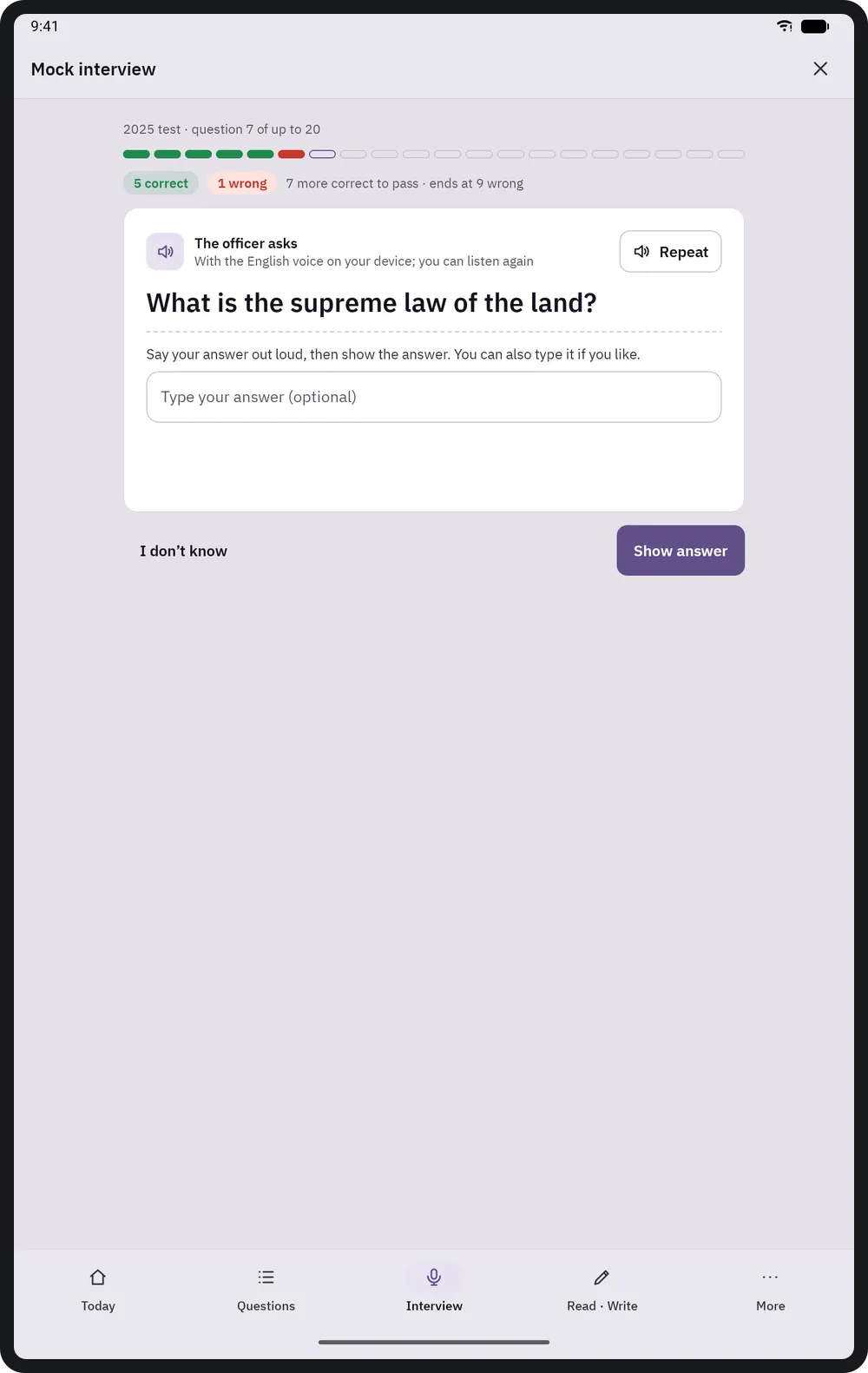
모의 인터뷰 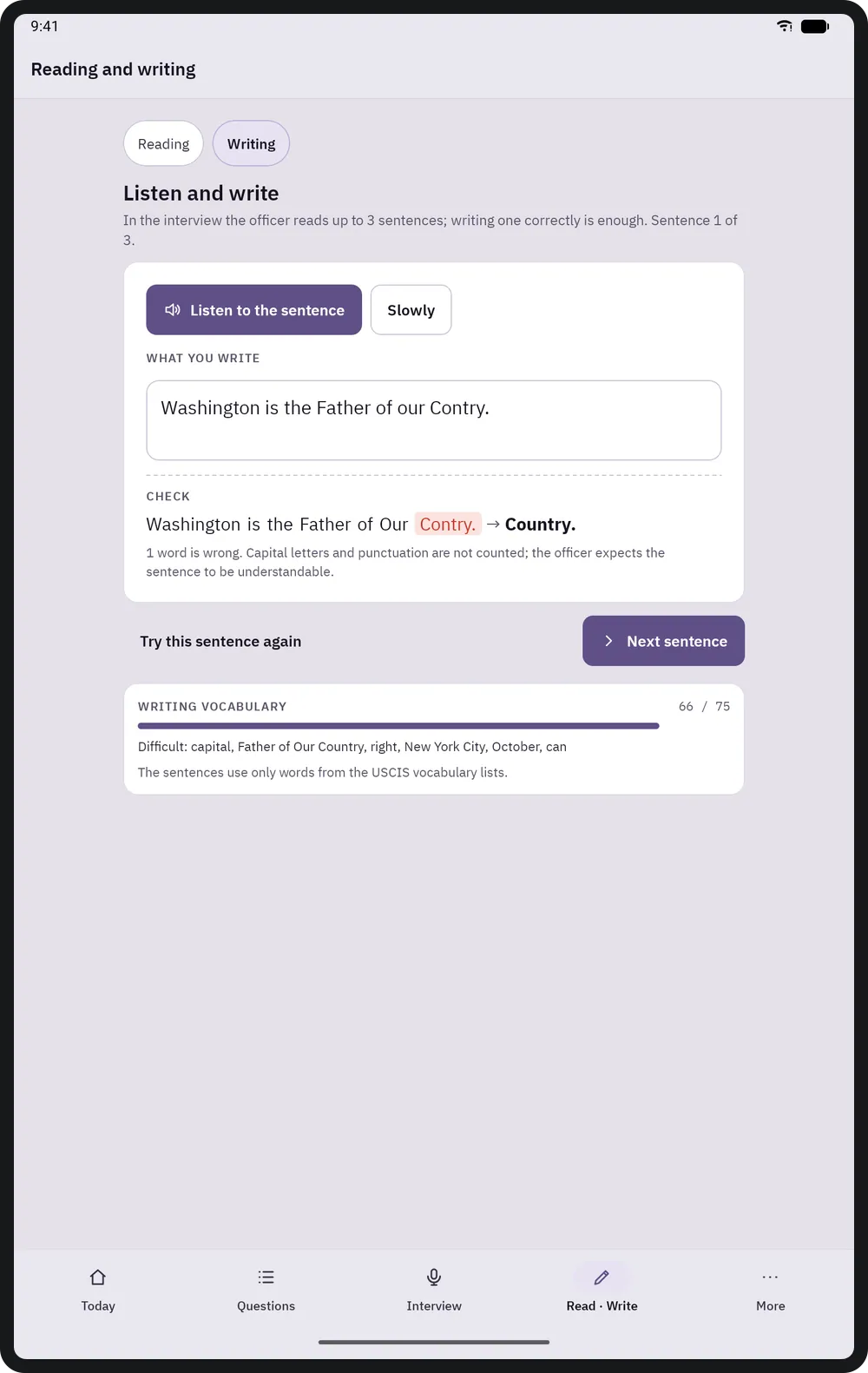
읽기와 쓰기 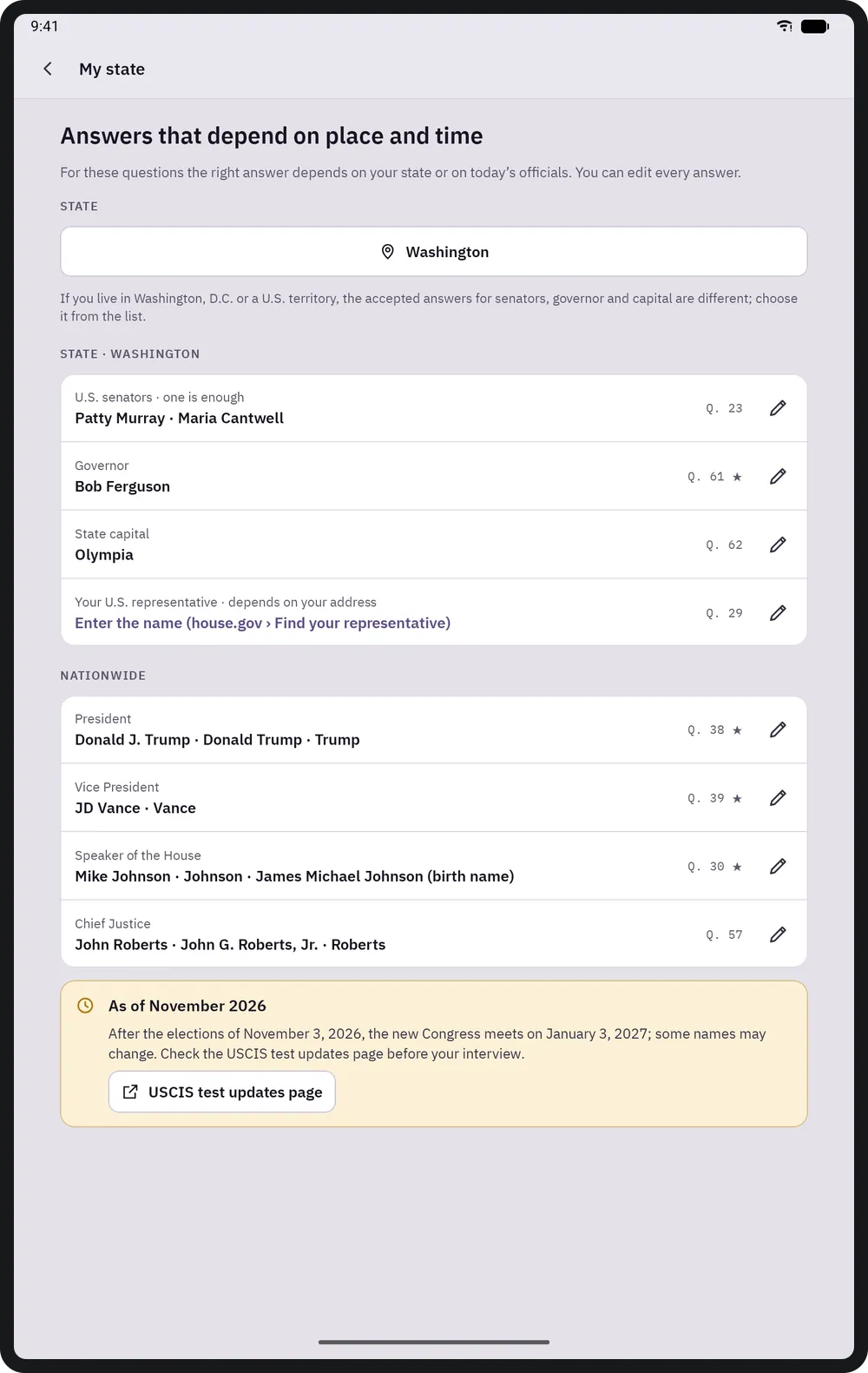
내 주 
진행 상황


키보드 단축키
macOS에서는 ⌘와 ⌥, Windows와 Linux에서는 Ctrl과 Alt를 사용합니다.
| 단축키 | 동작 |
|---|---|
| Space | Show the answer on a card |
| 1 · 2 · 3 | Didn't know · Hard · Knew it |
| S | Read the question aloud |
On touch screens everything is done with buttons; every button is at least 48 dp.
Civesta 받기
Google Play에서 한 번 구매합니다. 광고, 구독, 인앱 구매가 없습니다.
Google Play 출시 예정