Функции
118 elements, short quizzes and unlimited drills. Mistakes come back a few days later, and your level (beginner, high school, advanced) decides what comes first. The element data is built into the app; the app has no internet permission.
Основные функции
- Interactive table
- All 118 elements, coloured by category, electronegativity, atomic radius, ionization energy, state at room temperature or learning status, with a legend. On a phone the table zooms with two fingers (the interface does not), with a zoom bar and a mini map; on a tablet the whole table fits and the selected element is shown beside it. Search by name, symbol or number.
- Element pages
- Standard atomic weight, electron configuration with a shell diagram, electronegativity, first ionization energy, atomic radius, melting and boiling points, density, common ions and example compounds named by the rules of your language, place in the table and neighbours. Unmeasured values are not shown.
- Quizzes
- Symbol to name (optionally typed), name to symbol, place in the table (tap the cell in a blank table, or pick group and period), common ion, valence electrons. Distractors are elements that are easy to confuse; your own mix-ups get extra practice.
- Today's set
- A short daily set with spaced repetition (8, 12 or 20 questions): the reviews that are due plus new elements for your level. "Add to cards" puts any element into the set.
- Balancing equations
- Set the coefficients with steppers while the atom count updates live in a table; the smallest whole numbers are checked. A step-by-step solution opens on request; easy, medium and hard (combustion, redox) levels.
- Molar mass and percent by mass
- Molar mass from the formula (±0.1 g/mol) and the percent by mass of an element (±0.5 points); the solution line by line, with IUPAC standard atomic weights.
- Naming compounds and ions
- Ionic compounds both ways (formula to name, name to formula), with Roman numerals for variable charges; ion charge and valence electrons from the group number.
- Electron configuration
- Place electrons in orbital boxes (1s to 4p); the counts and Hund's rule are checked, with the Cr and Cu exceptions at the advanced level.
Устройства и браузеры
- On phones, bottom navigation (Today, Table, Quiz, Drills, More); on landscape tablets a vertical menu on the left and an inspector on the right; on portrait tablets details open in a bottom sheet.
- Android 8.0 or later; the iPhone and iPad version is in preparation. There is no web, desktop or installable web app.
Телефон
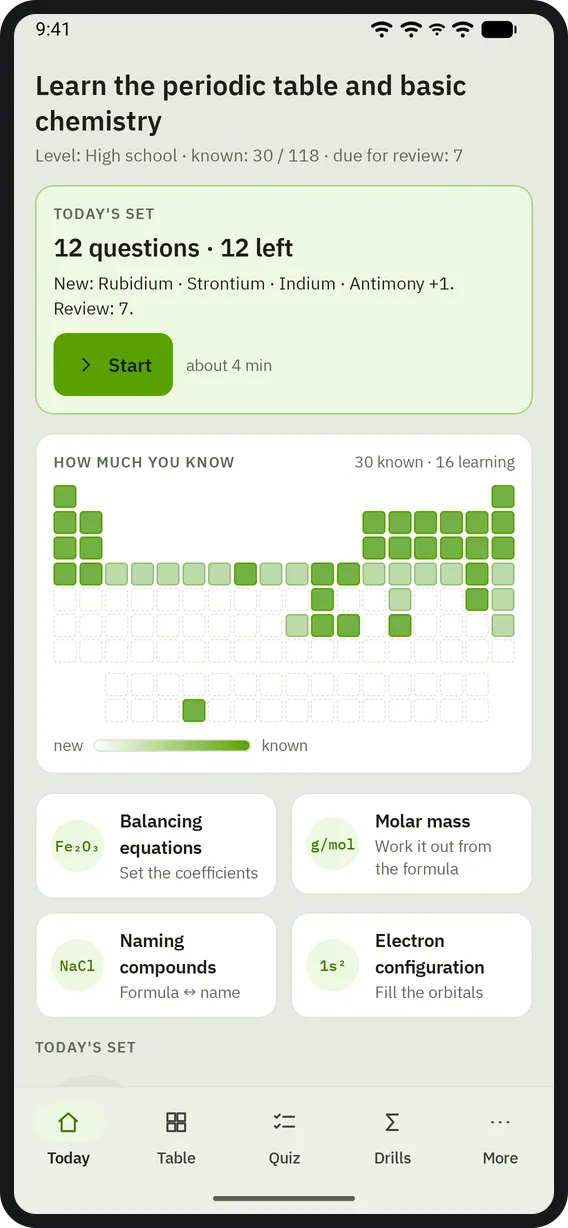
Главный экран 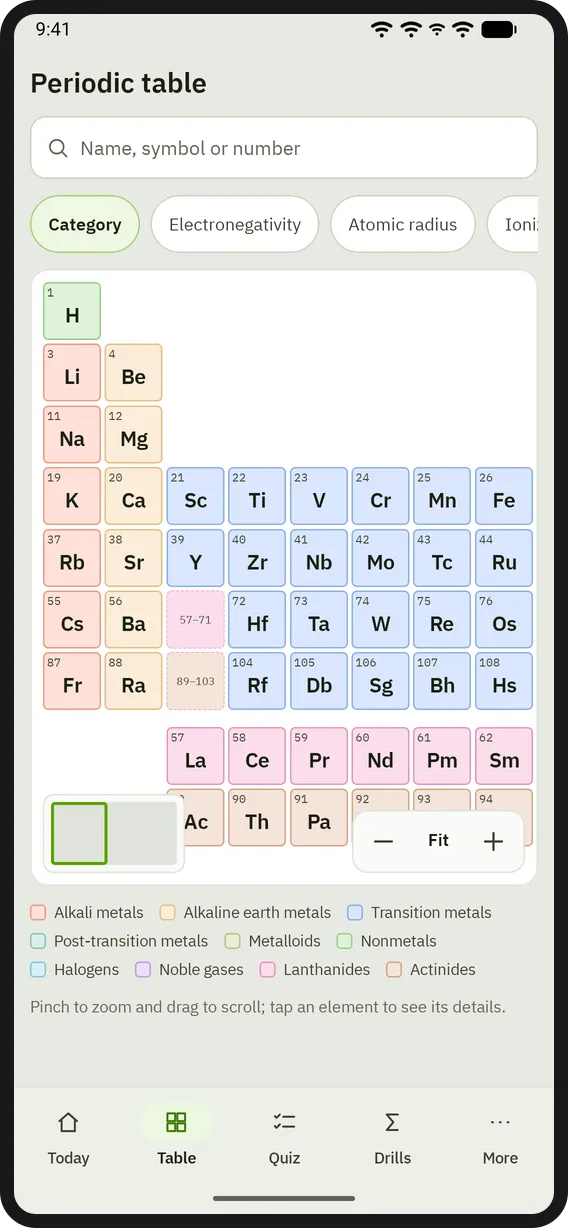
Таблица 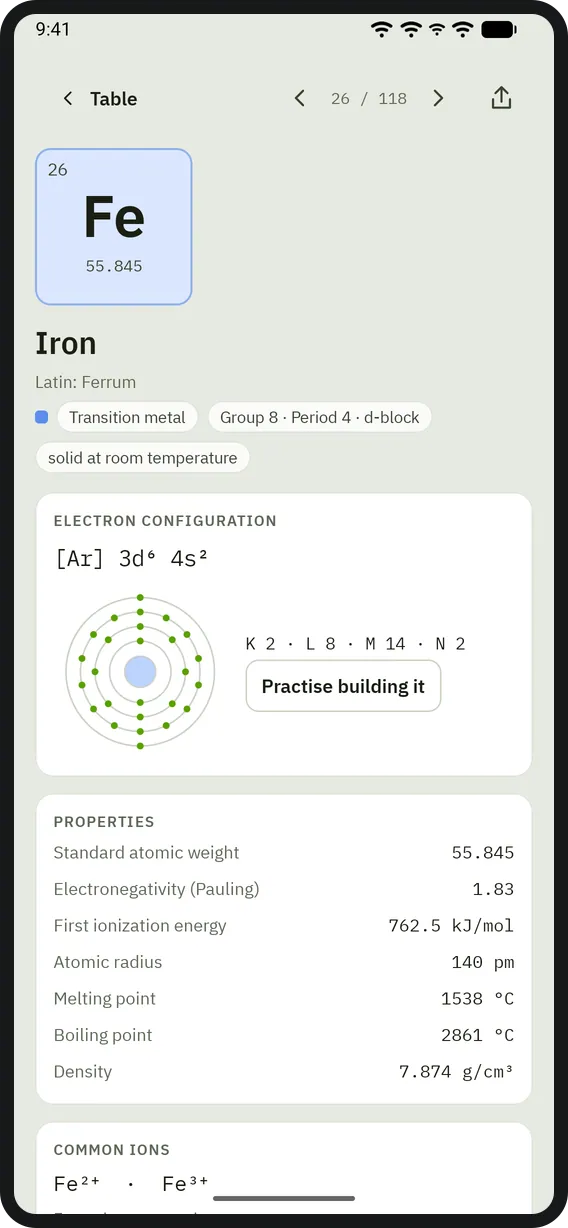
Страница элемента 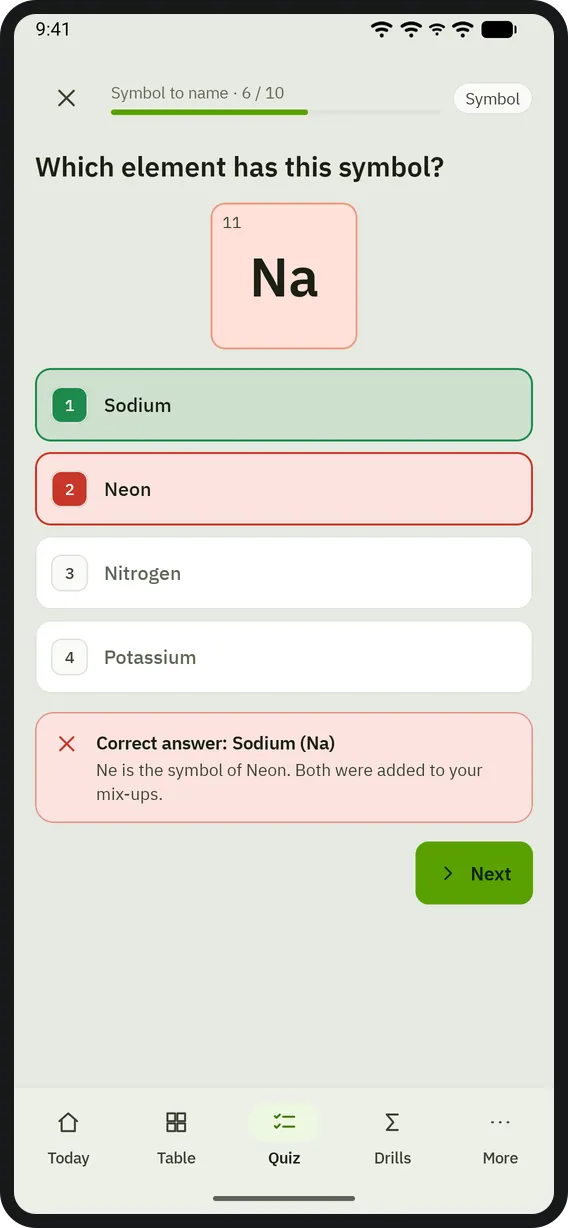
Тест 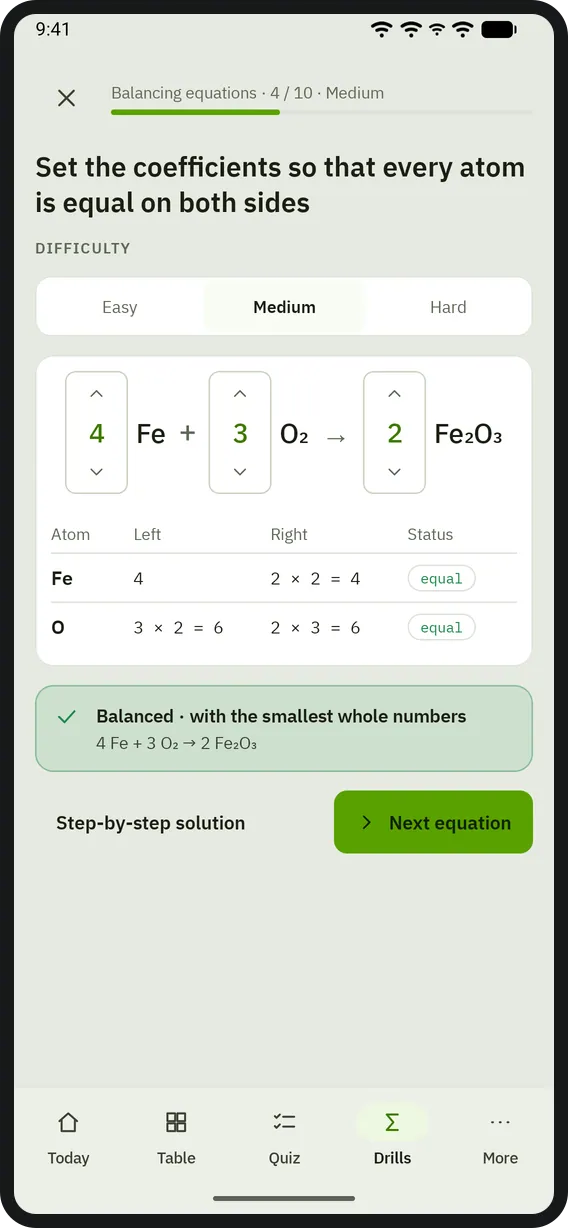
Уравнивание 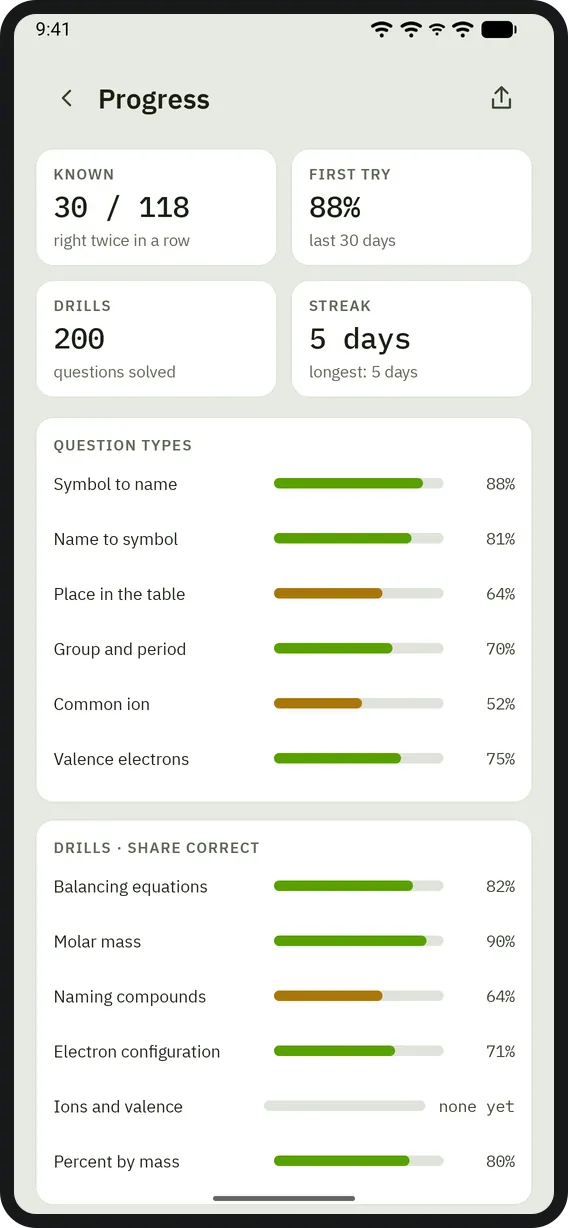
Прогресс


Планшет
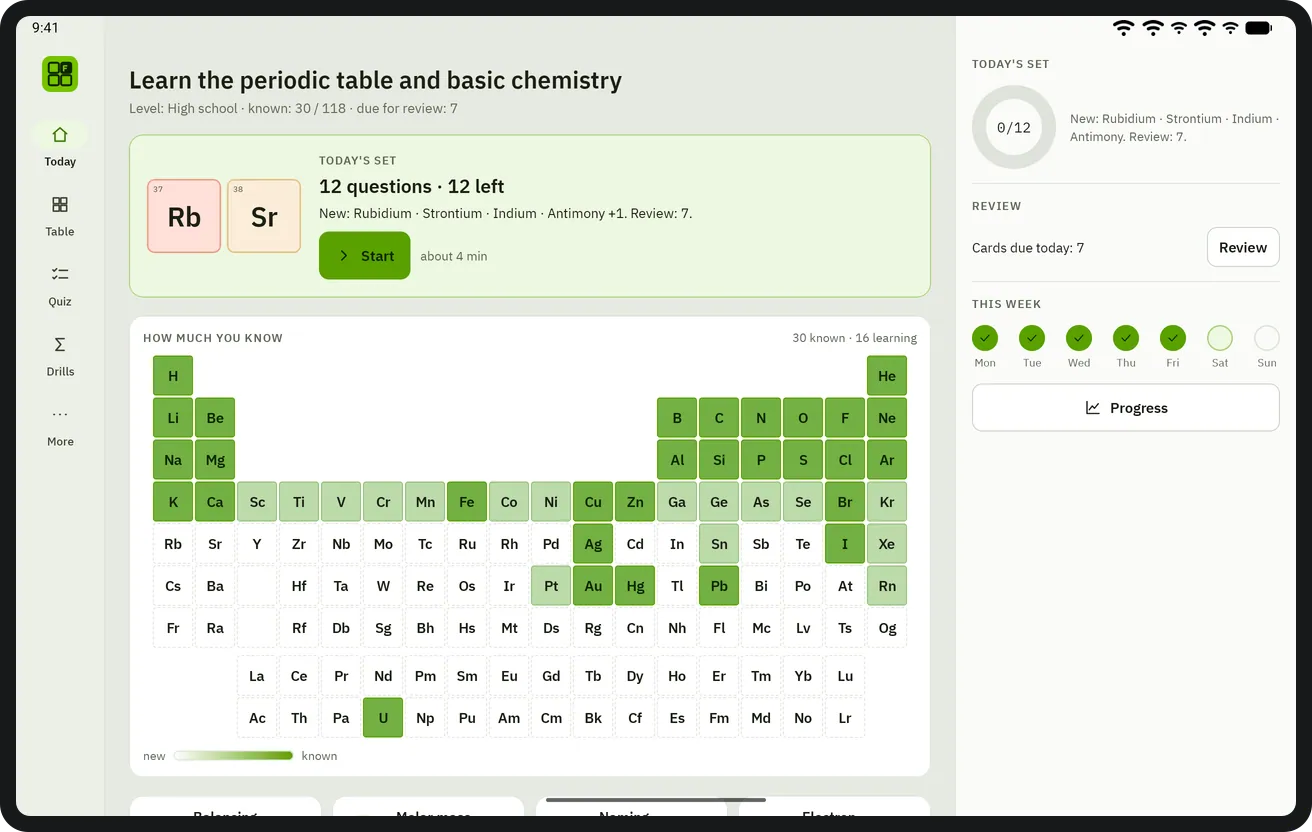
Главный экран 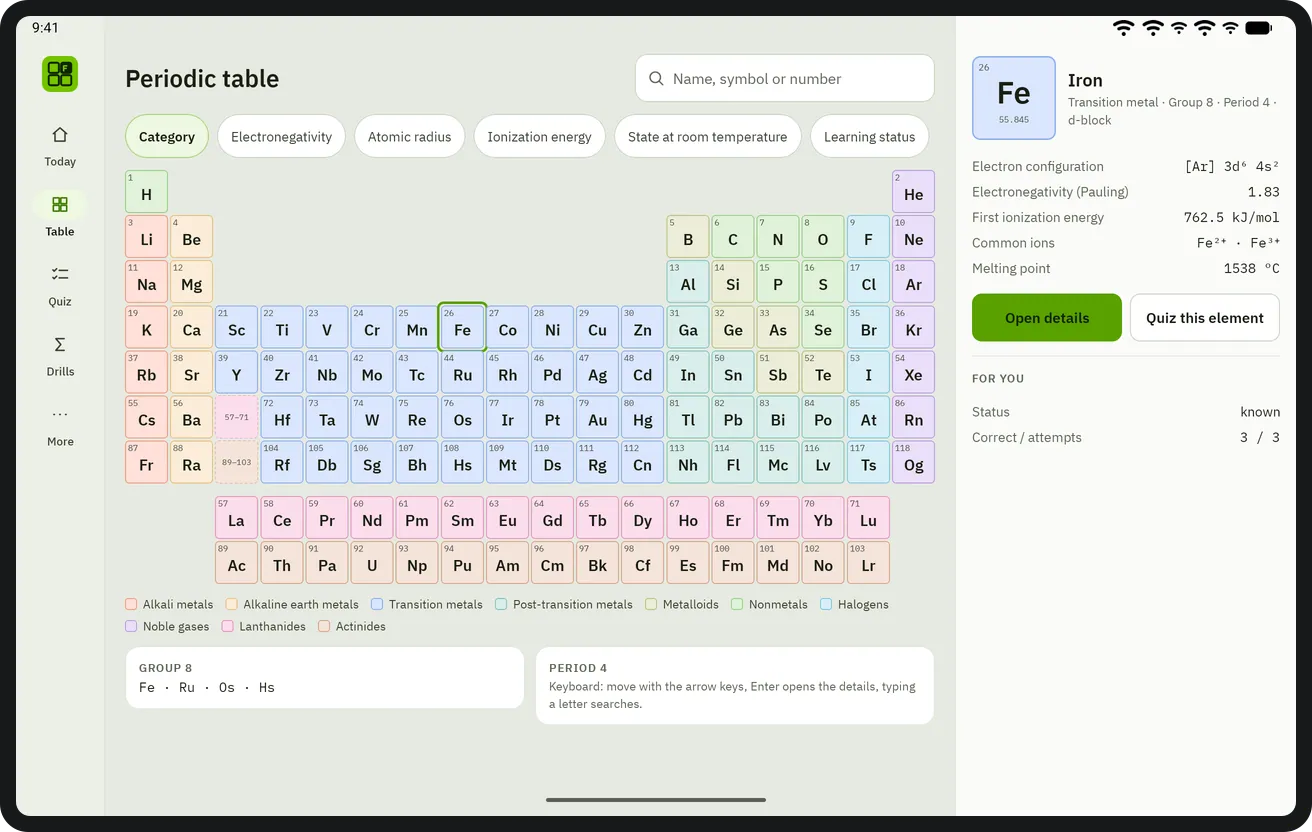
Таблица 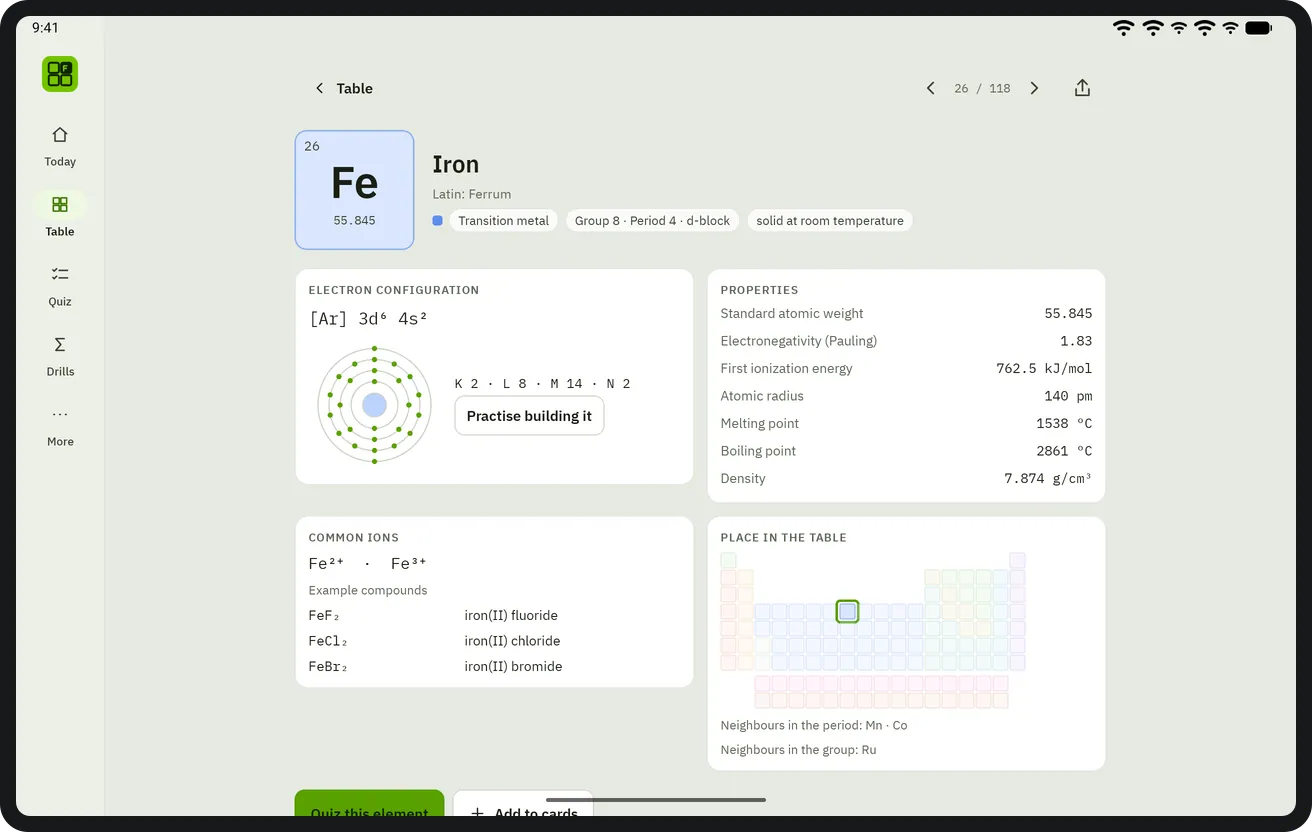
Страница элемента 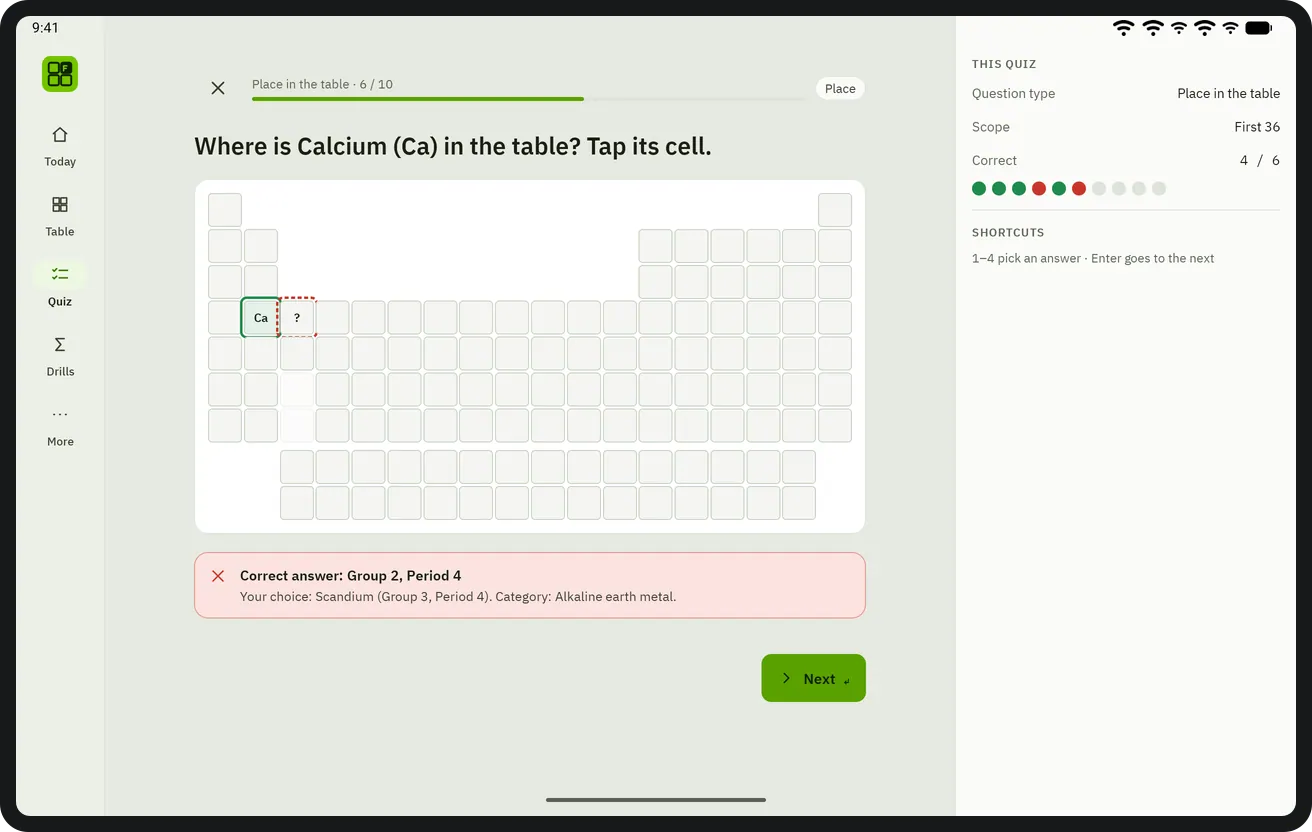
Тест 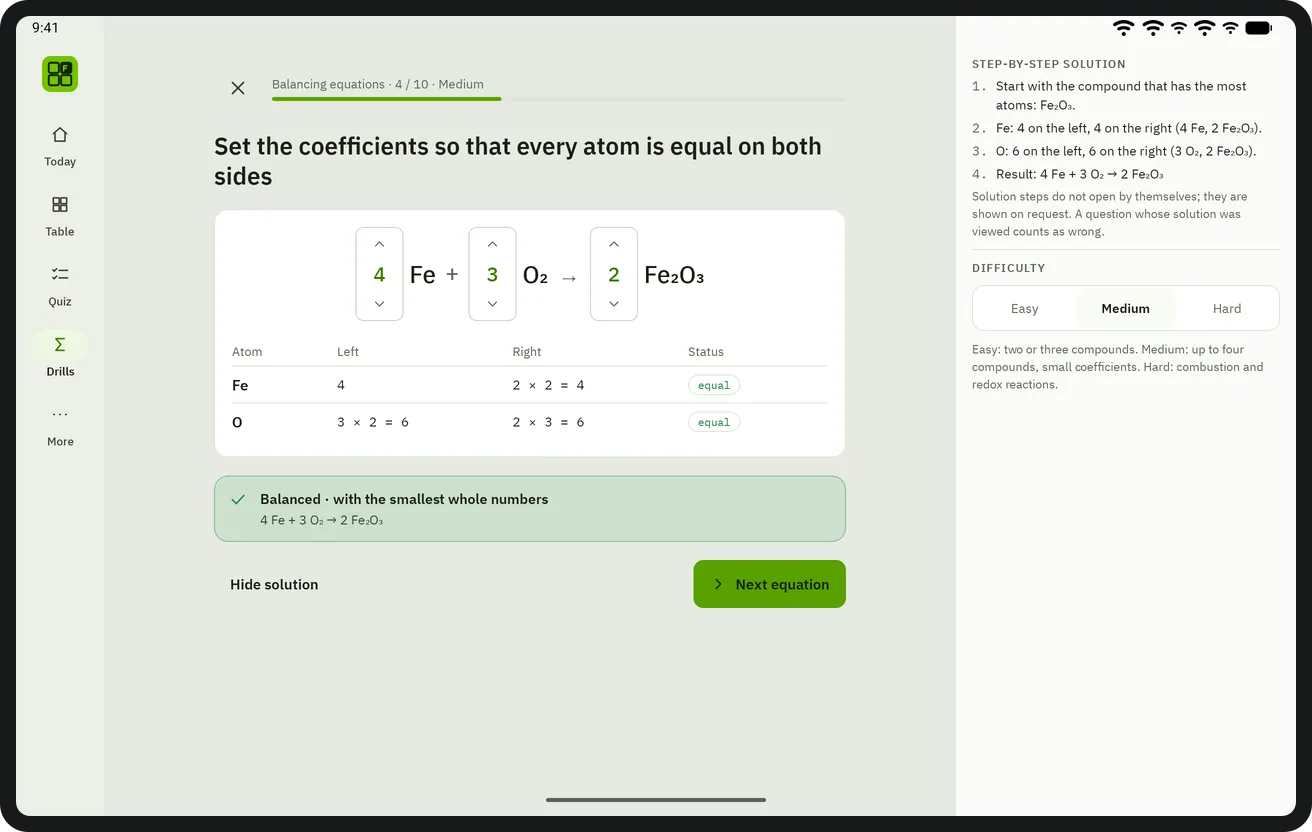
Уравнивание 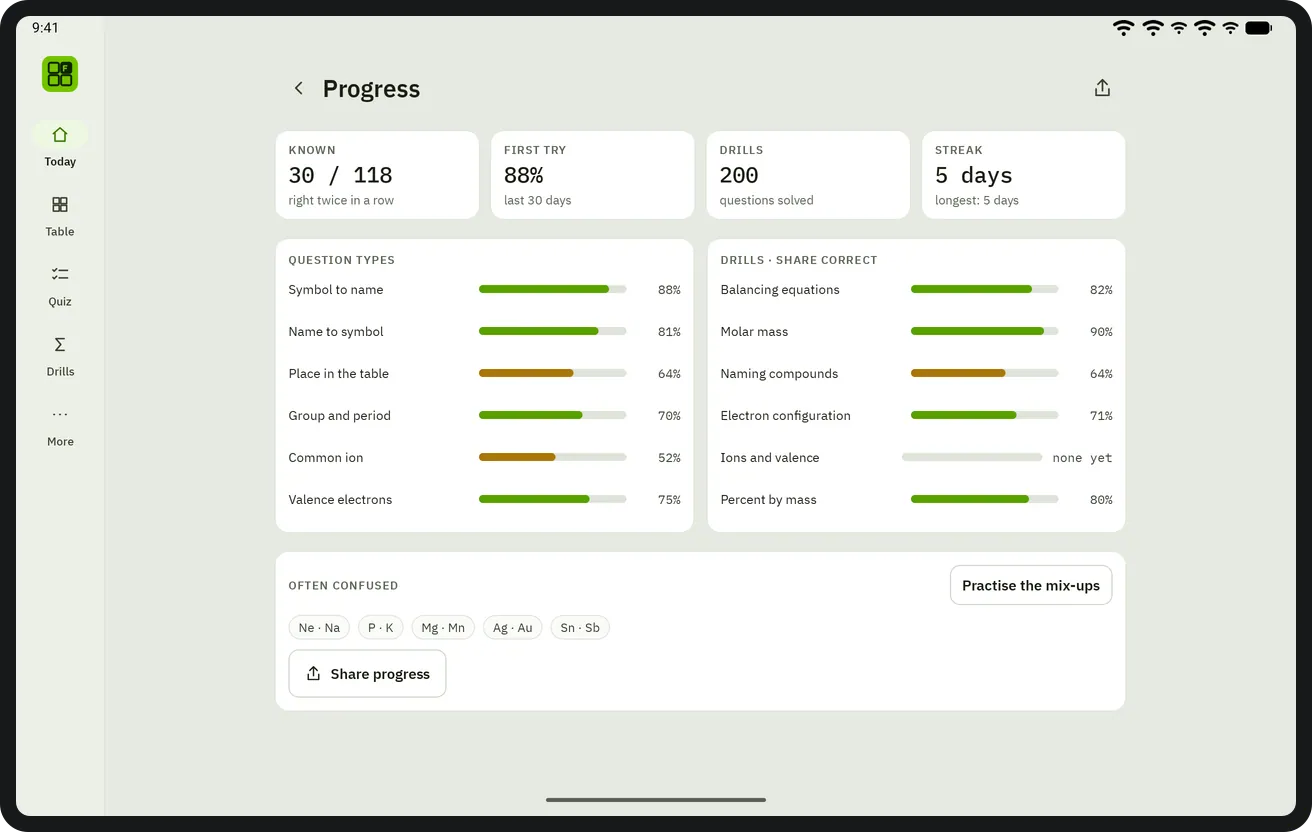
Прогресс


Сочетания клавиш
В macOS используются ⌘ и ⌥; в Windows и Linux — Ctrl и Alt.
| Сочетание | Действие |
|---|---|
| 1–4 | Pick an answer in a quiz |
| Enter | Next question |
| Arrow keys | Move between elements in the table |
On touch screens everything is done with buttons; every button is at least 48 dp.
Получить Elemio
Покупается один раз в Google Play; без рекламы, подписки и покупок в приложении.
Скоро в Google Play